Quick pay in one tap
Cash, UPI or Card buttons right under Charge. The exact total is taken, the bill prints, and you are ready for the next customer — no customer details needed.
Macto Retail POS · made for India
Scan or tap, take cash, UPI or card, and print a GST bill in seconds. Stock, staff and dues stay in order without extra work.
Macto Restaurant POS · made for India
Run tables and parcels on one screen. Kitchen tickets reach the kitchen screen or print with the bill, and settling takes one tap.
Why shops switch
Cash, UPI or Card buttons right under Charge. The exact total is taken, the bill prints, and you are ready for the next customer — no customer details needed.
Part by UPI, the rest in cash. Take an advance and let the customer pay later — the balance shows on Dues with its due date.
Add your UPI ID once. The payment screen and the bill show a QR for exactly what is due.
Customer copy and store copy in one print, on 58 mm, 80 mm or A4. Your logo and layout from the Bill Designer.
Why restaurants switch
Every kitchen ticket says DINE-IN, PARCEL or DELIVERY, so nothing is packed wrong. Pack one round of a table as parcel with a tick.
Switch on “kitchen copy with the bill”: the kitchen slip prints right after the customer copy. Tear it off and hand it in.
QR table orders and online catalogue orders arrive on the Orders screen: accept, send to kitchen, mark ready, hand over.
Start a takeaway without asking a name, add dishes, tap Cash or UPI — paid, printed and done.
Feature tour
Every screenshot is the real product with sample data.
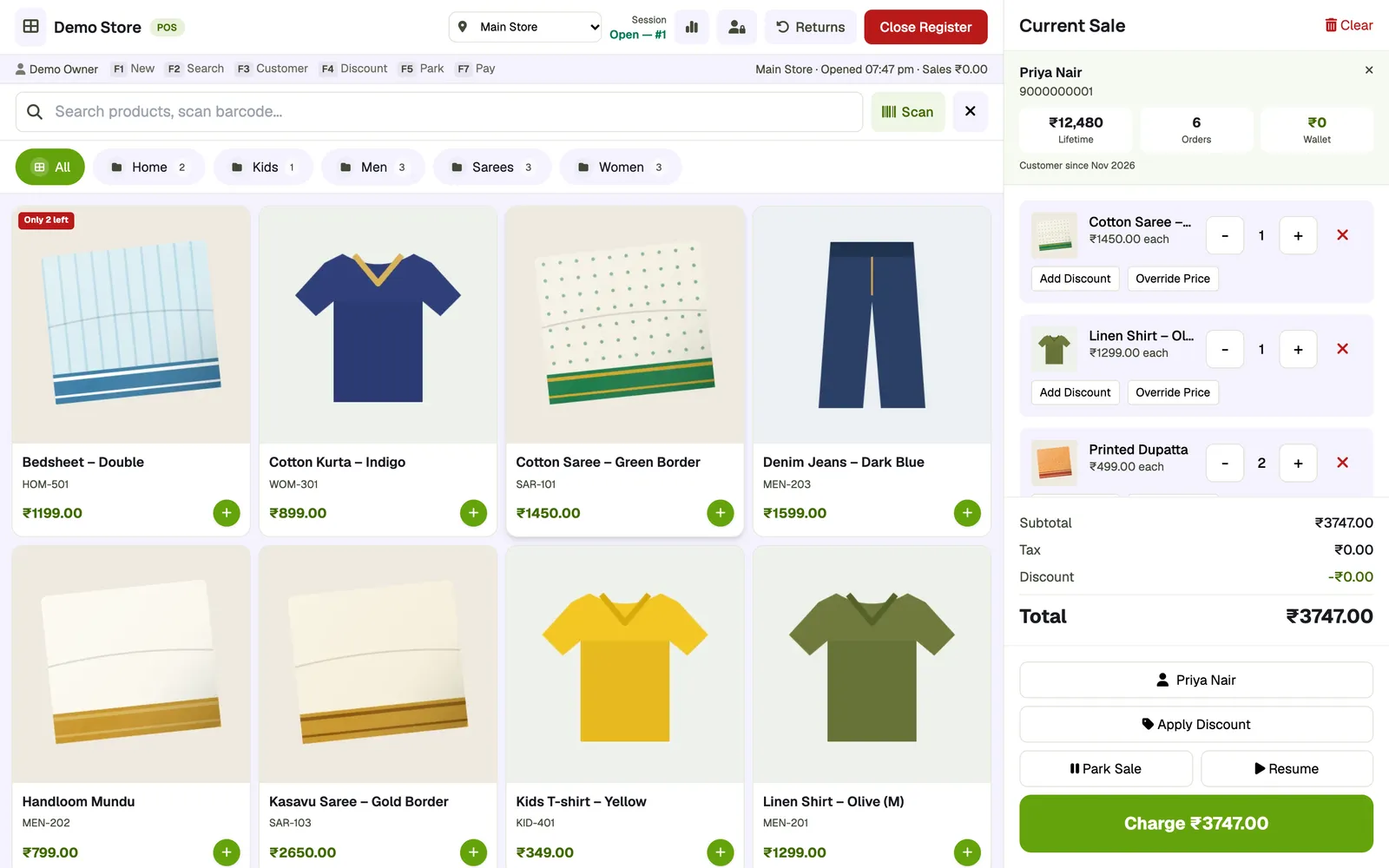
Search by name, scan a barcode or tap a product tile. Each line can take its own discount or a price override, and the totals update as you go.
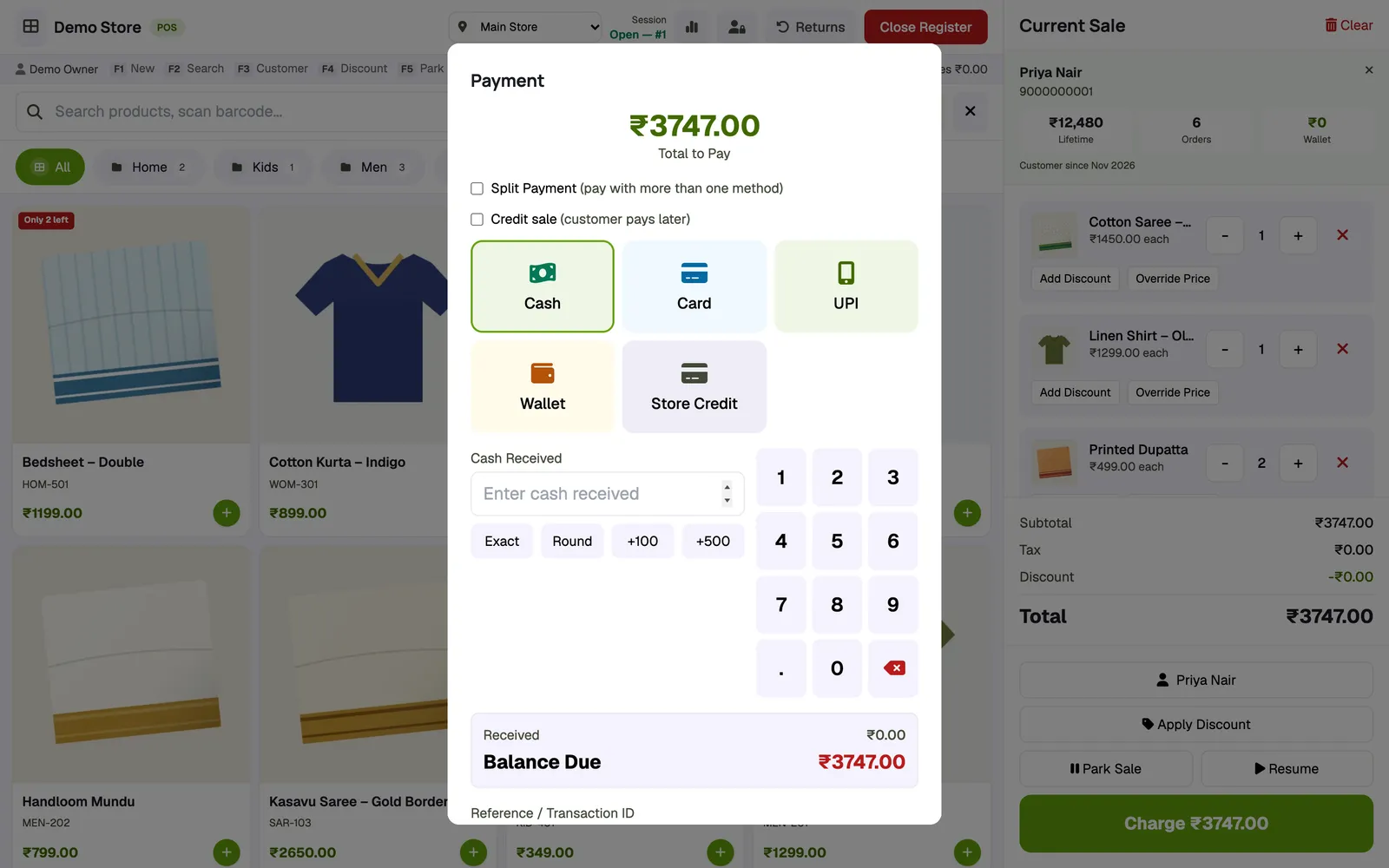
Record payment by cash, card, UPI, customer wallet or store credit. Turn on split payment to take more than one method on the same bill.
Card and UPI payments are recorded against the bill. Macto POS does not connect to card machines.
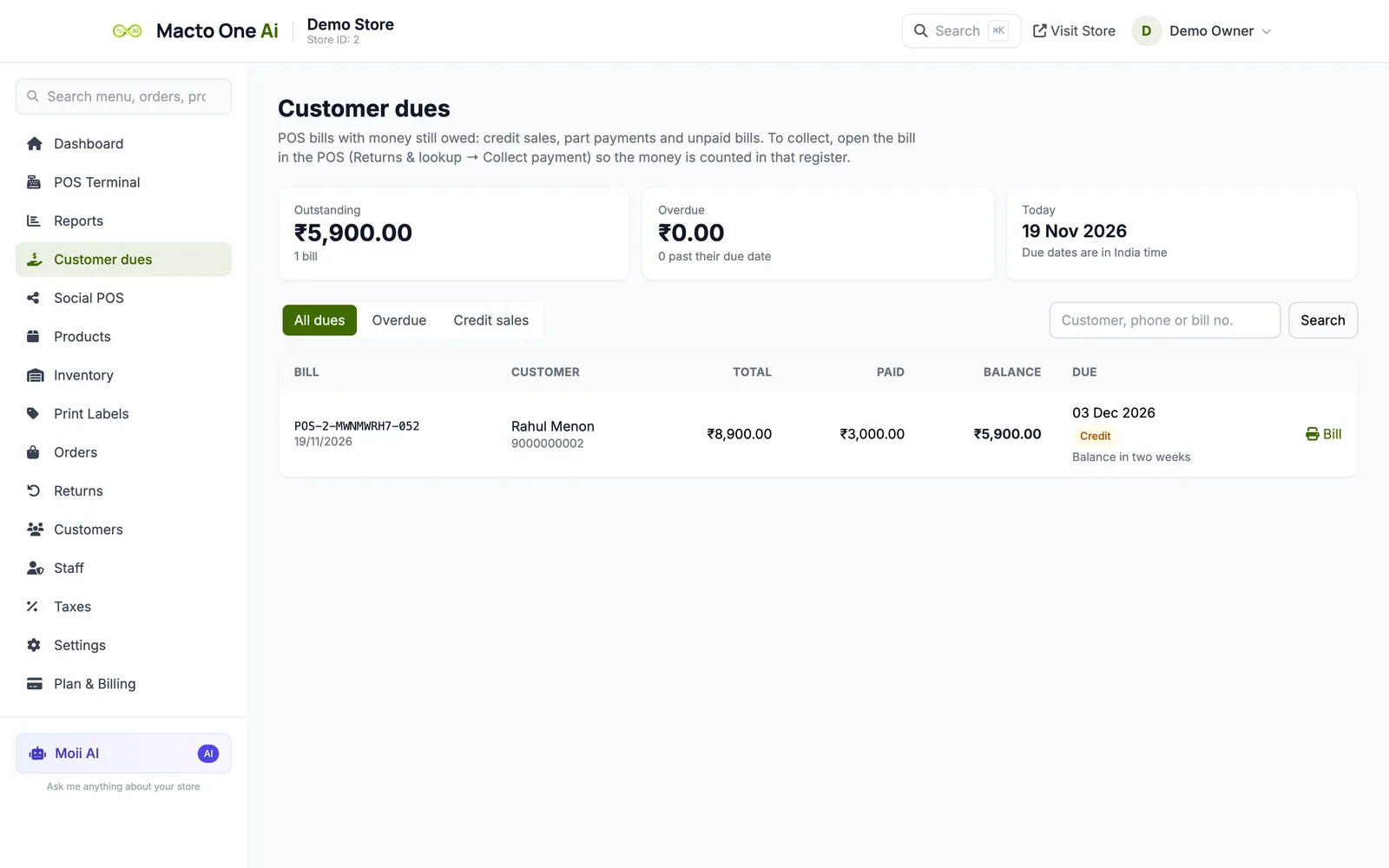
Mark a sale as credit when the customer will pay later. Set a due date, take an advance if they pay part now, and collect the balance later.
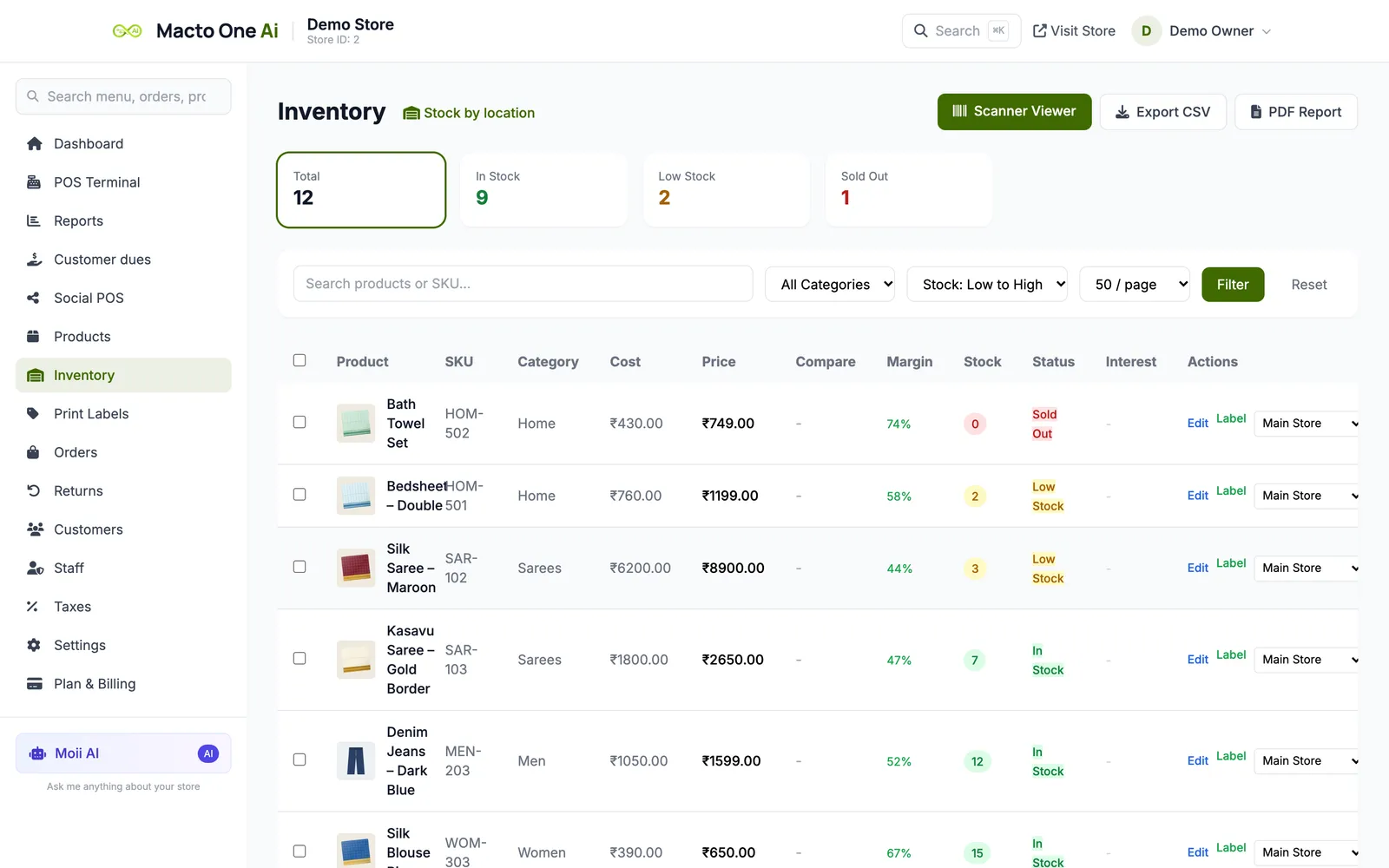
See stock, cost, price and margin for every product. Low-stock and sold-out items are flagged, and you can adjust quantities after a count.
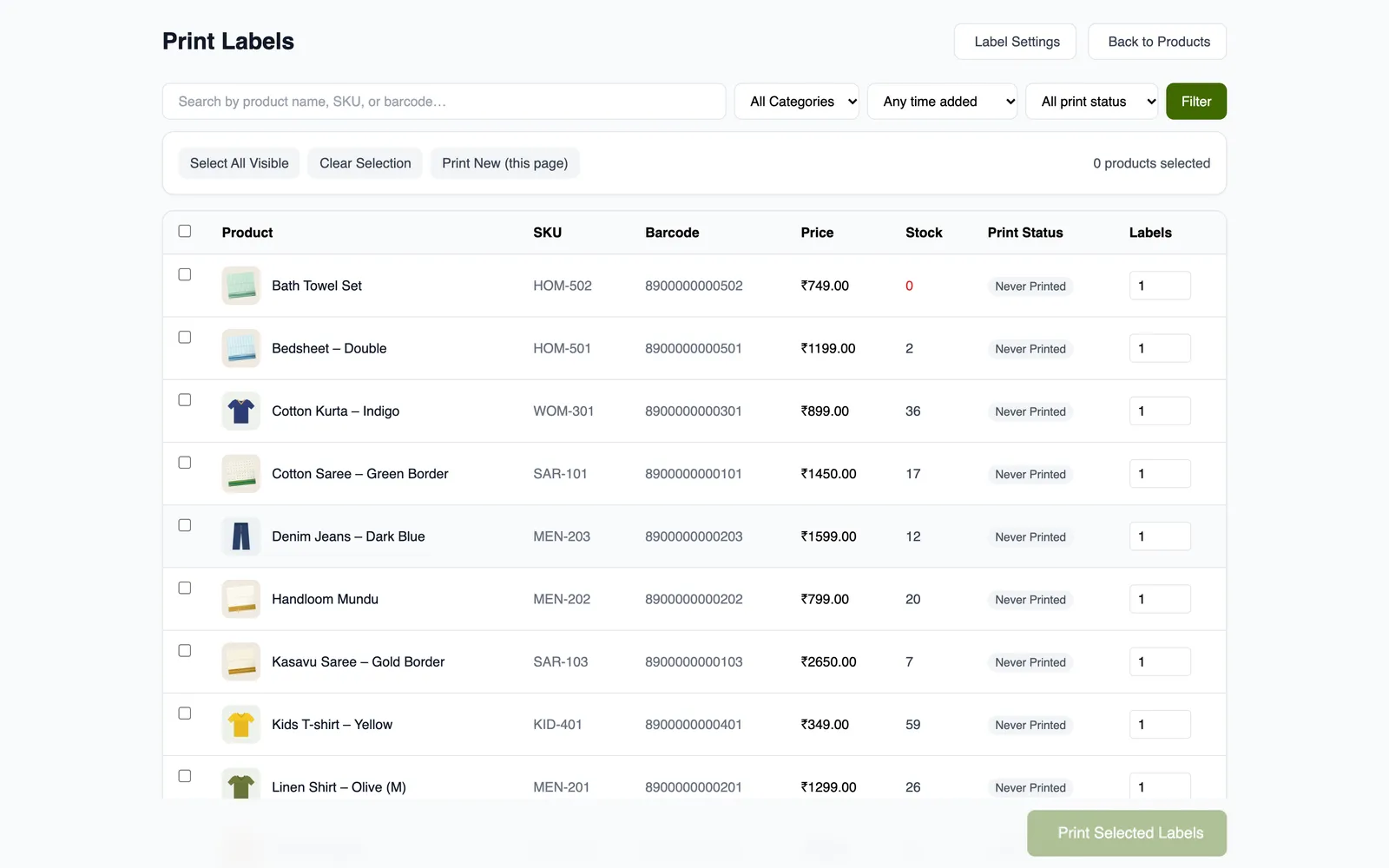
Pick products, choose how many labels you need and print. Labels carry the product’s barcode so scanning at the counter just works.
Add your branches as locations. Stock is tracked per location, and the terminal sells from whichever location you choose in the header.
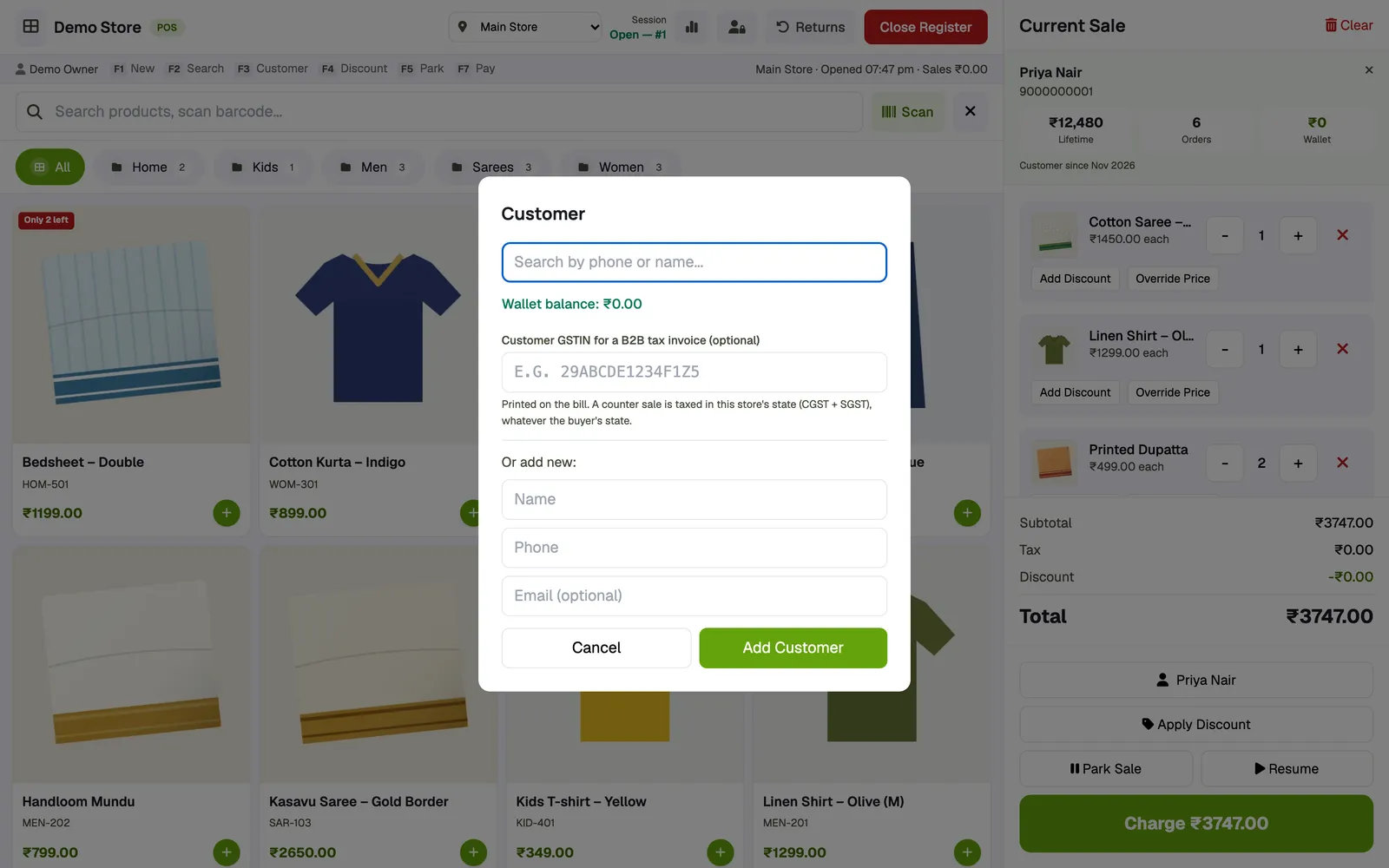
Find a customer by phone or name, or add one in a few seconds. Their lifetime spend, order count and wallet balance appear next to the sale.
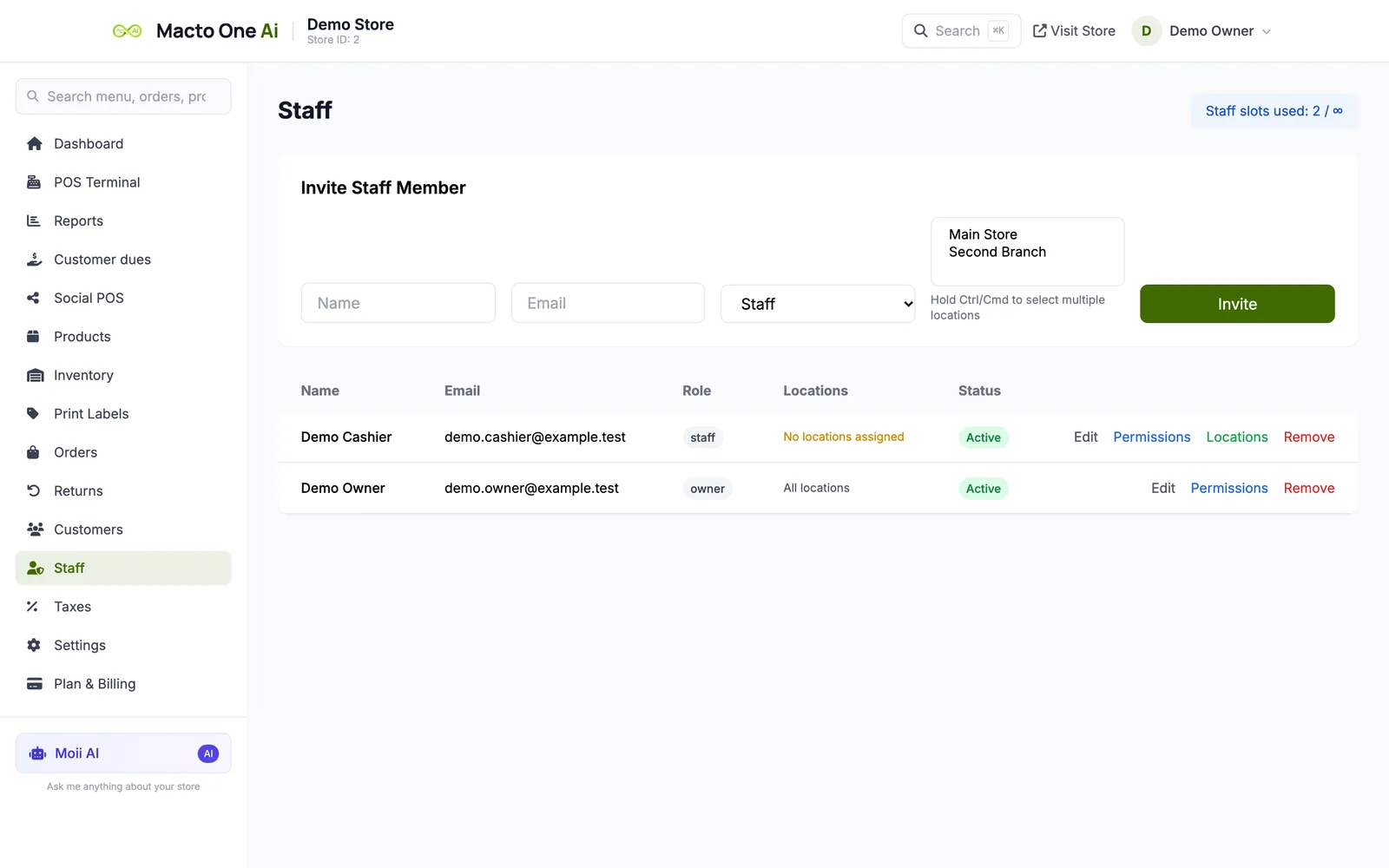
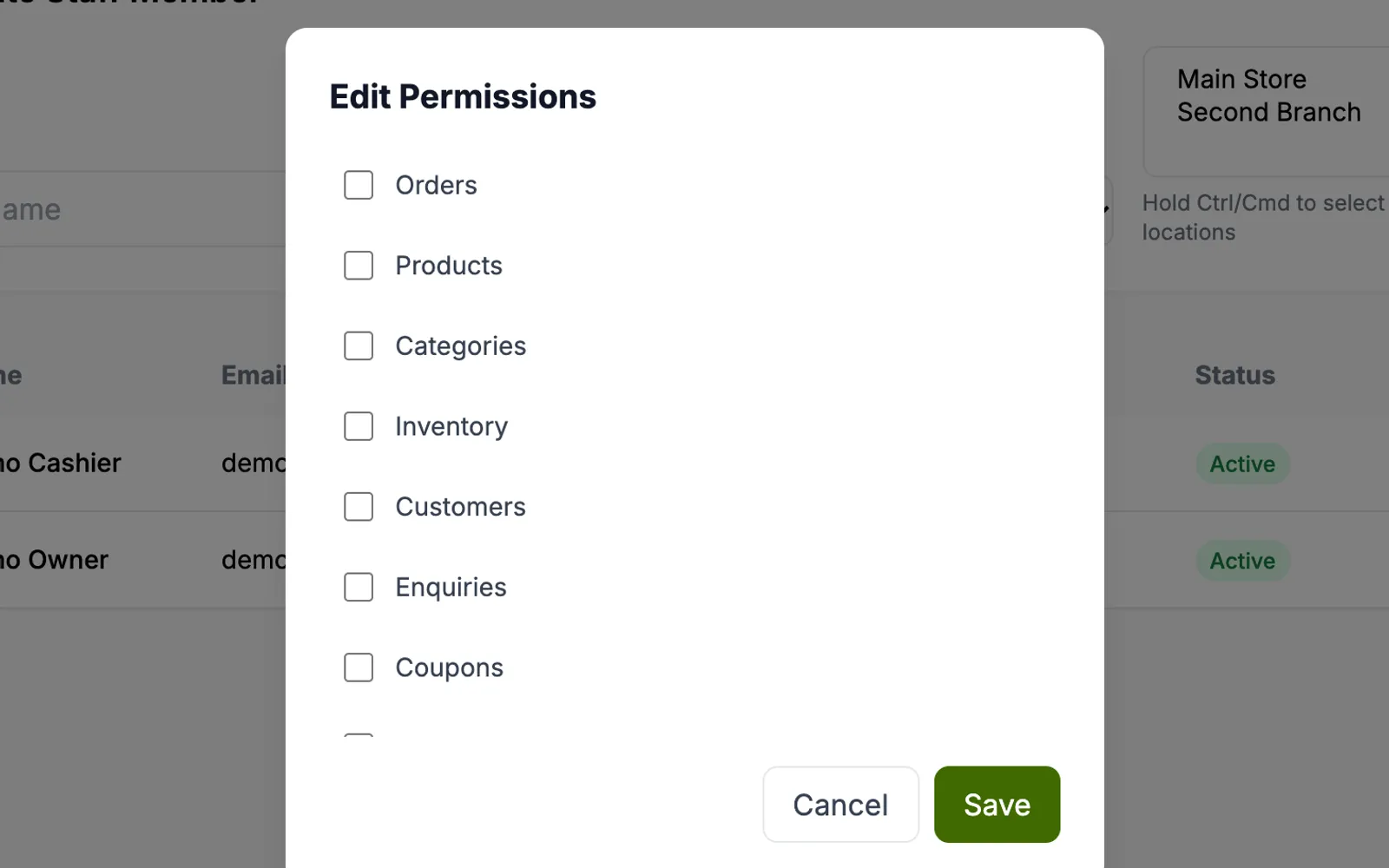
Each staff member unlocks the terminal with their own PIN. Decide exactly which parts of your store they can see and change.
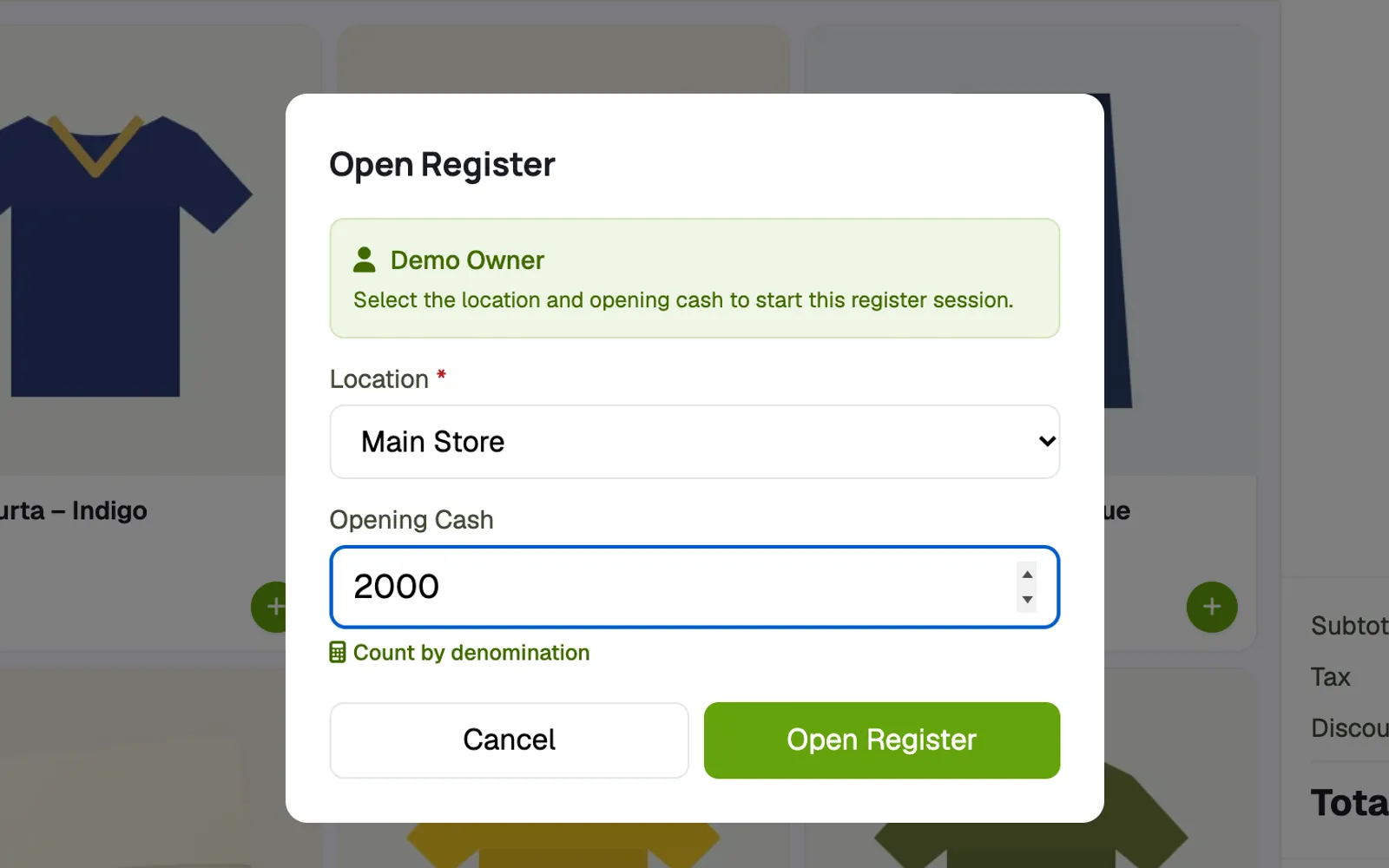
Start a session with the cash in the drawer and close it with a count at the end of the shift. The session shows the sales taken while it was open.
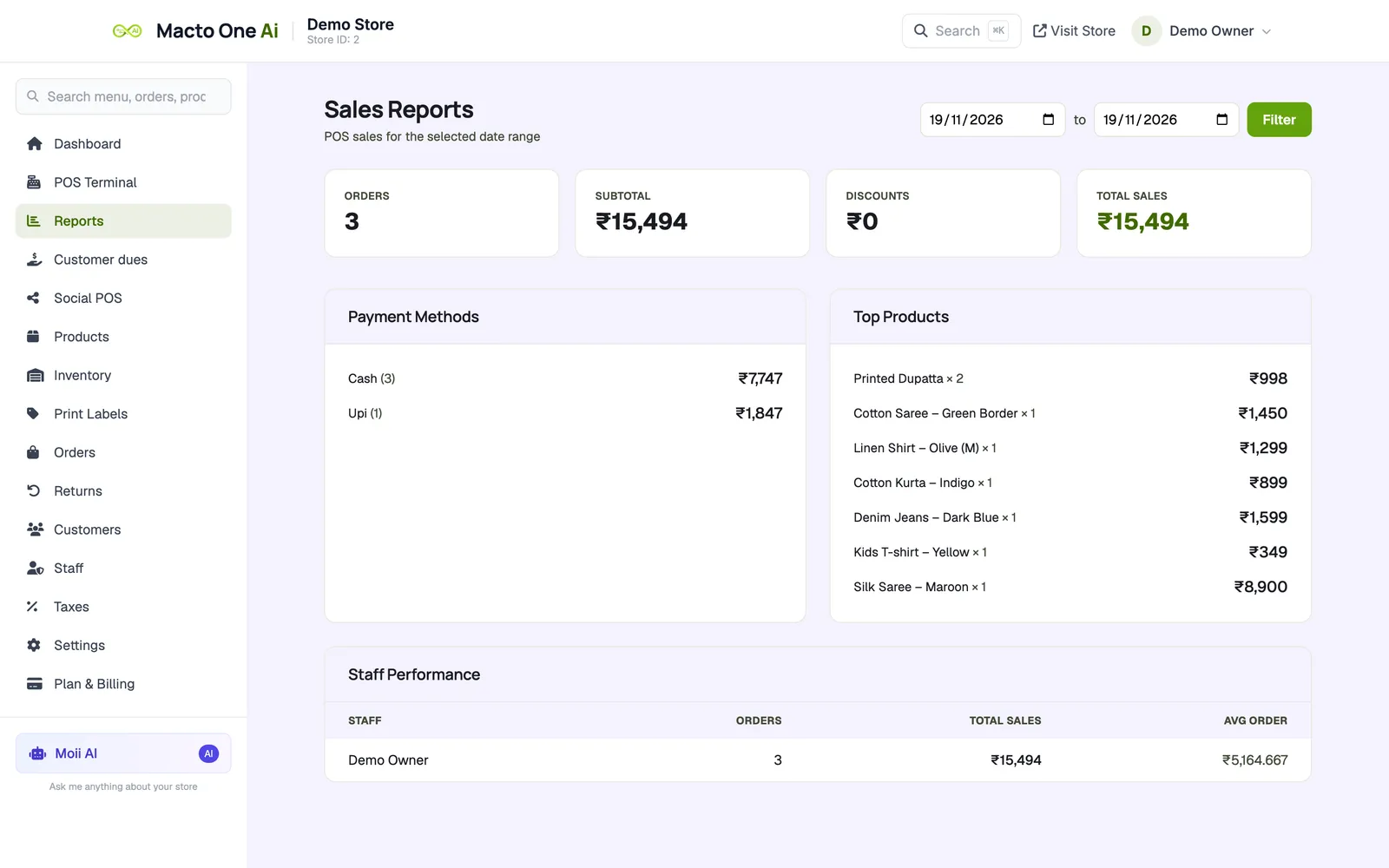
Choose a date range and see orders, discounts and total sales, with breakdowns by payment method, top products and staff.
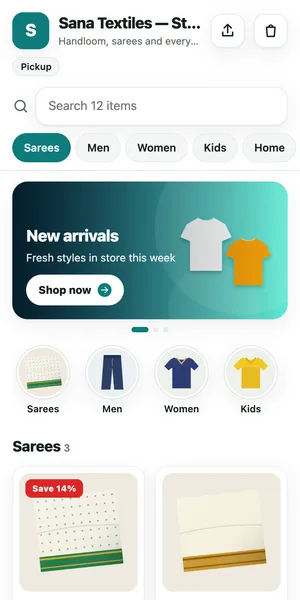
Publish your products at your own link. Customers scan the QR code and shop an app-style catalogue with your logo, colours and banners, then order for pickup or delivery.
Online catalogue is an add-on on selected plans.
Feature tour
Every screenshot is the real product with sample data.
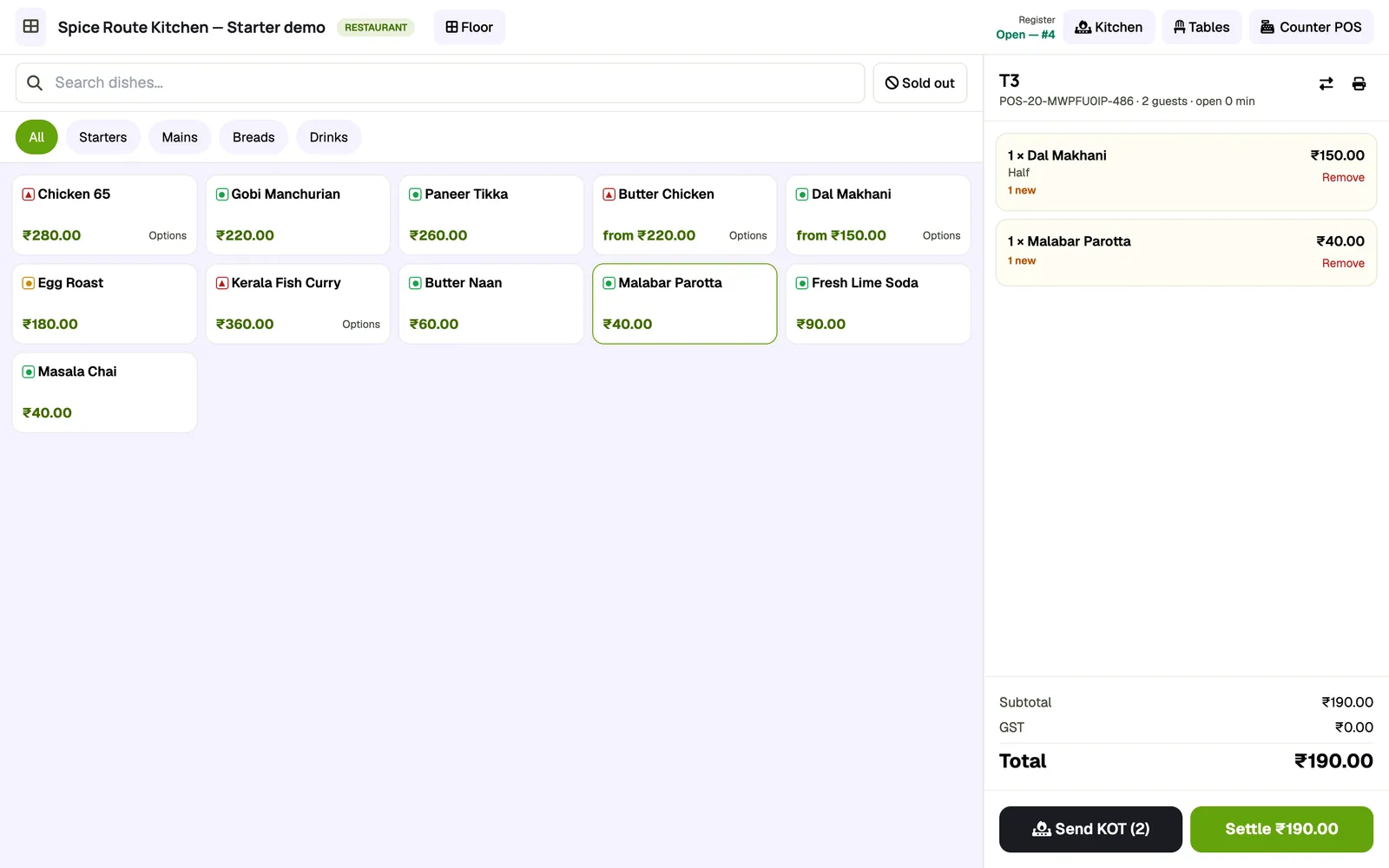
Open a table, add dishes with Half/Full portions and add-ons, send a numbered kitchen order ticket (KOT) and settle by cash, card, UPI or a split.
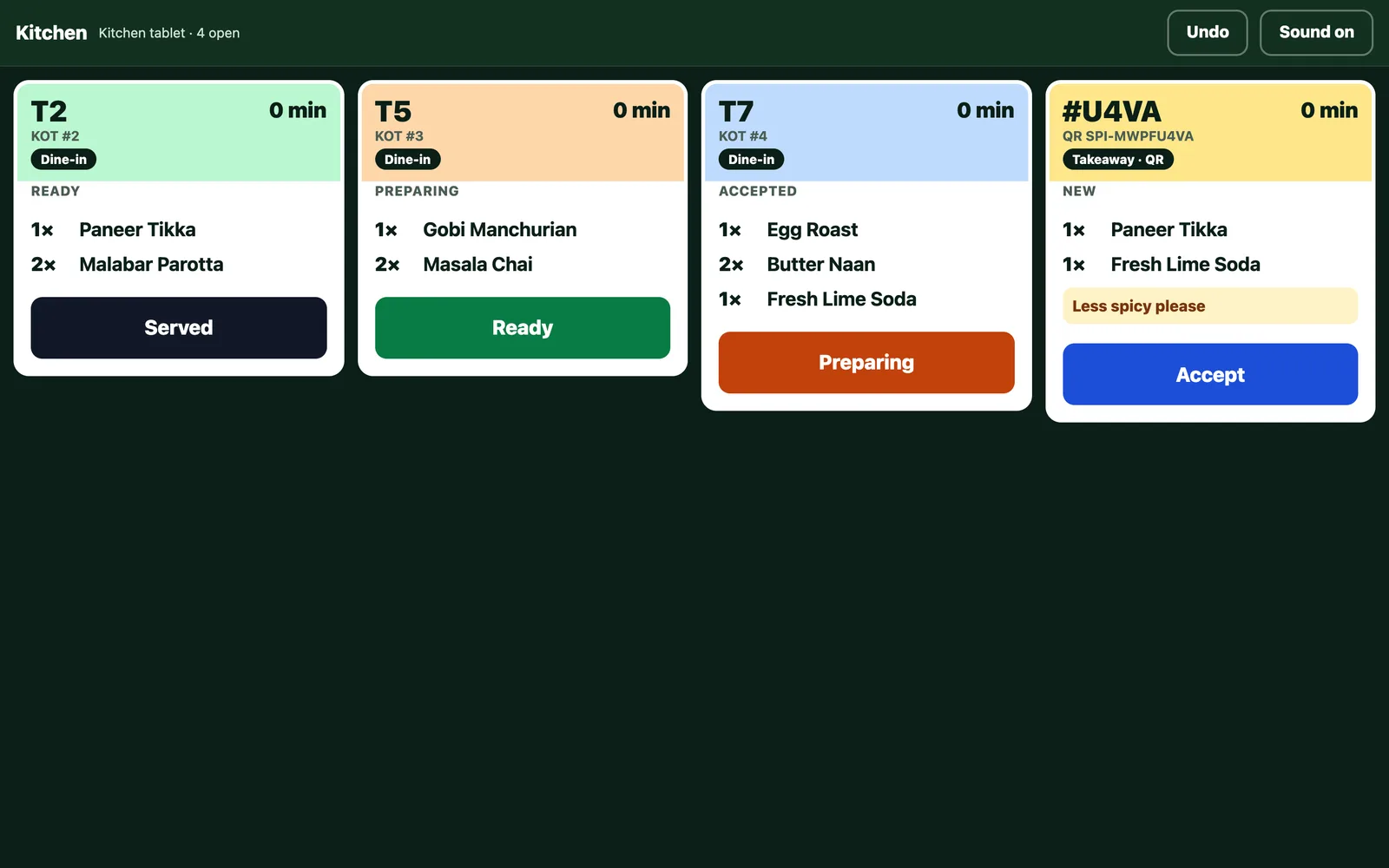
Pair a tablet or phone with a one-time code. The kitchen sees every ticket and QR order as a big card and moves it on with one tap.
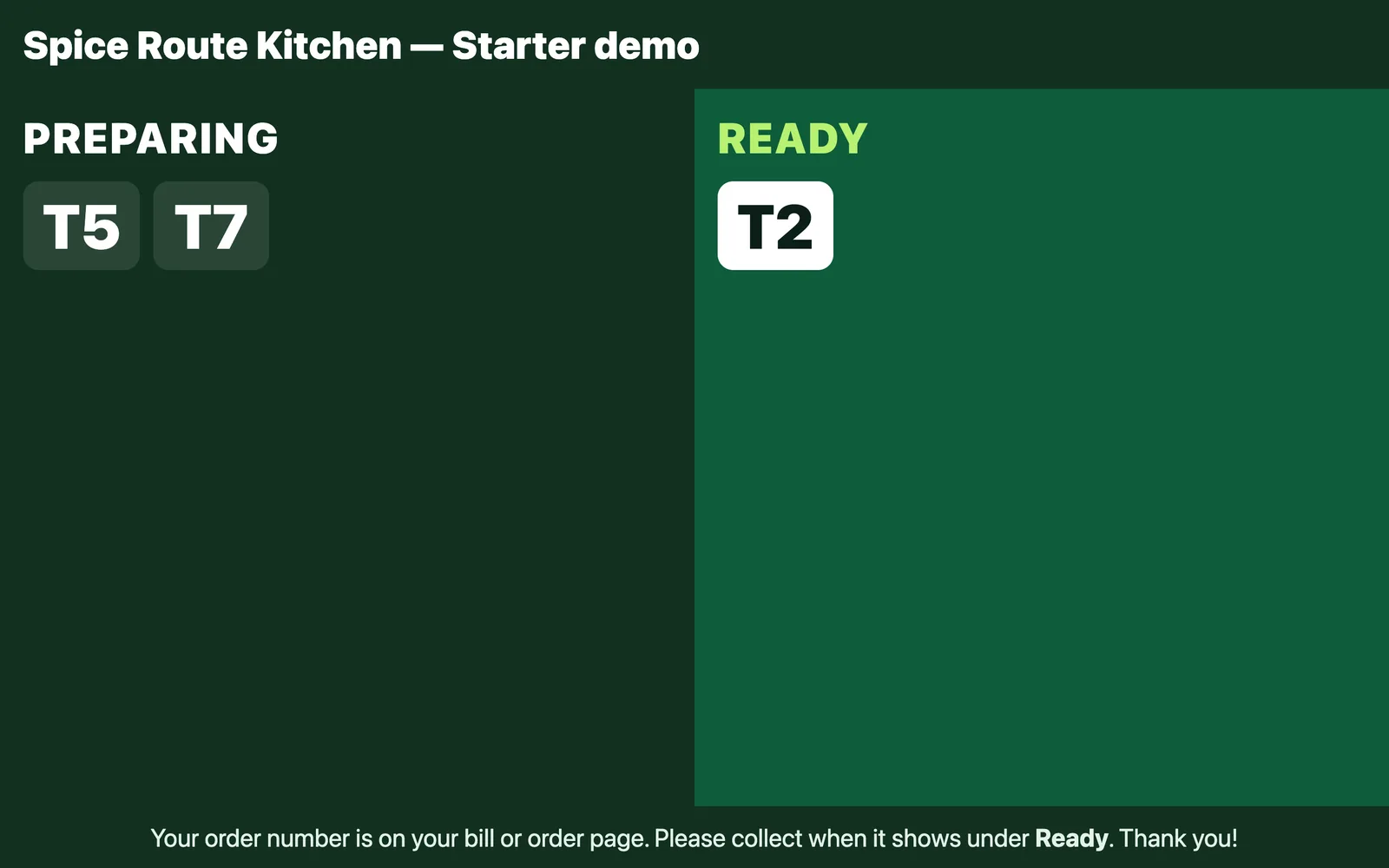
Pair a TV or tablet as a customer display. It shows order numbers and tables under Preparing and Ready — nothing else.
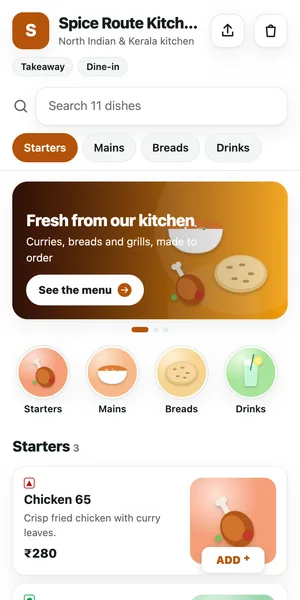
Guests scan the table QR or your store QR and order from an app-style menu with your banners and dish photos. Orders reach the kitchen screen and the table’s bill.
Online menu and table QR ordering are on selected plans.
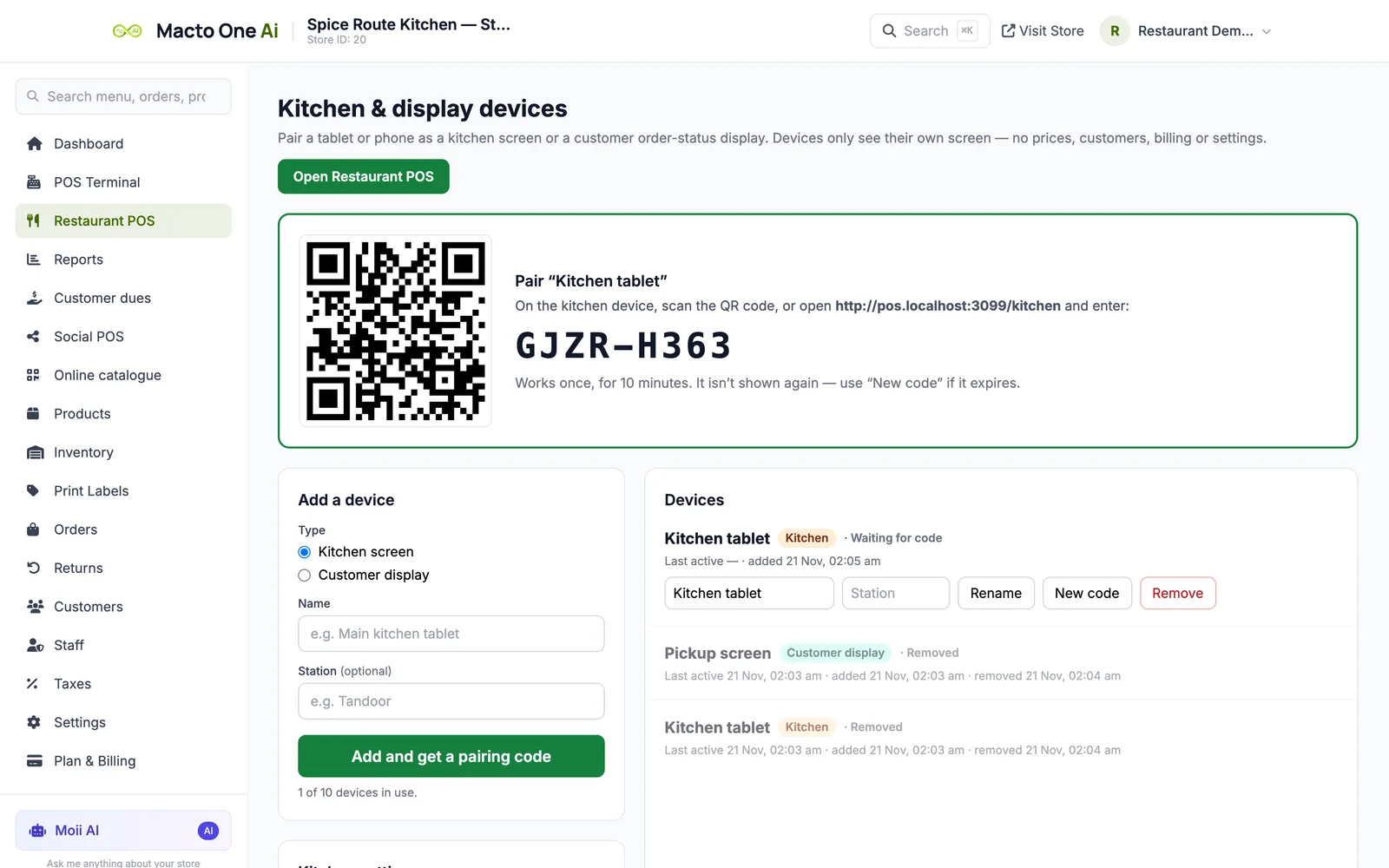
Add kitchen and display devices, see when each was last active, and mark dishes sold out for the rest of service.
Get started today
Shop name, GSTIN if you have one, and your UPI ID. Two minutes.
Type them in or import them. Prices, GST rates and stock.
Open the register and bill on any computer, tablet or phone.
First 50 bills free · no card needed · plans from ₹99/month + GST · see pricing
Get started today
Name, GSTIN if you have one, and your UPI ID.
Dishes with Half/Full and add-ons, veg / non-veg, then your tables.
Open a table, send the KOT, settle and print. Pair a kitchen tablet with a code.
First 50 bills free · no card needed · plans from ₹99/month + GST · see pricing
Why Macto POS
Your first bills are free, with no time limit and no card needed. Choose a plan when you need more.
Pick your business type at signup and get the right POS. Switch later without losing anything.
A catalogue or menu at your own link and QR code, in your colours, taking real orders.
Cash, card, UPI QR for the exact amount, split bills and credit with dues.
Bills, products, customers and reports stay available even if a plan ends.
Works in the browser on a computer, tablet or phone. Kitchen screens pair with a code.
Macto Retail POS is billing and point-of-sale software for Indian shops that runs in a web browser. It makes GST bills, takes cash, UPI, card and split payments, tracks stock by location and gives each staff member a PIN. Your first 50 bills are free, with no time limit and no card needed.
Yes. You set GST rates per product (inclusive or exclusive of price), bills show the tax breakup, and adding a customer’s GSTIN prints a B2B tax invoice.
Yes. Any USB or Bluetooth scanner that types like a keyboard works, and you can print barcode labels for your products. On supported browsers you can also scan with the device camera.
Yes. Add your UPI ID once and the payment screen and the bill show a UPI QR code for the exact amount. Cash, card, wallet, store credit and split payments are recorded on the same bill.
Yes. Mark a sale as credit or take an advance; the balance appears on the Dues page with its due date until the customer pays.
No. Macto POS runs in Chrome, Edge or Safari on a computer, tablet or phone. It needs an internet connection to bill.
Your first 50 bills are free, with no time limit and no card needed. After that you choose a monthly or yearly plan on the pricing page; prices exclude GST and you can cancel anytime.
Macto Restaurant POS is billing and kitchen-order software for Indian restaurants, cafés and cloud kitchens that runs in a web browser. It handles tables, kitchen order tickets (KOT), parcel and delivery orders, QR menu orders, UPI payments and GST bills. Your first 50 bills are free, with no time limit and no card needed.
Yes. Every round sent to the kitchen becomes a numbered KOT marked DINE-IN, PARCEL or DELIVERY. It shows on a kitchen screen, prints as a slip, or prints with the customer bill for kitchens without a screen.
Yes. Set up kitchen stations such as veg kitchen, non-veg kitchen, bar, juice bar or tea counter. Each order is split into one KOT per station and each kitchen screen shows only its own tickets.
Yes. Waiter mode lets staff pick a table, add dishes with portions and add-ons, and send the order to the kitchen from a phone. The cashier settles the bill on the Restaurant POS.
No. New restaurants can pick a ready-made Indian menu — South Indian, North Indian, biryani, Indo-Chinese, café, juice bar, fast food and more — tick the dishes they serve, set their prices and add their own dishes.
Yes. Give each table an area and the floor shows tables grouped by area, with how many are occupied in each.
Your first 50 bills are free, with no time limit and no card needed. After that you choose a monthly or yearly plan on the pricing page; prices exclude GST and you can cancel anytime.
Add your business, add your products or menu, and print your first bill in minutes.