Skip to content
Macto POS
Start free

Billing & POS software for shops and restaurants

Spend less time at the counter and more with your customers.

Macto POS puts billing, payments, stock and staff in one place that runs in your browser — so every sale is quick, and every rupee is accounted for when you close the register.

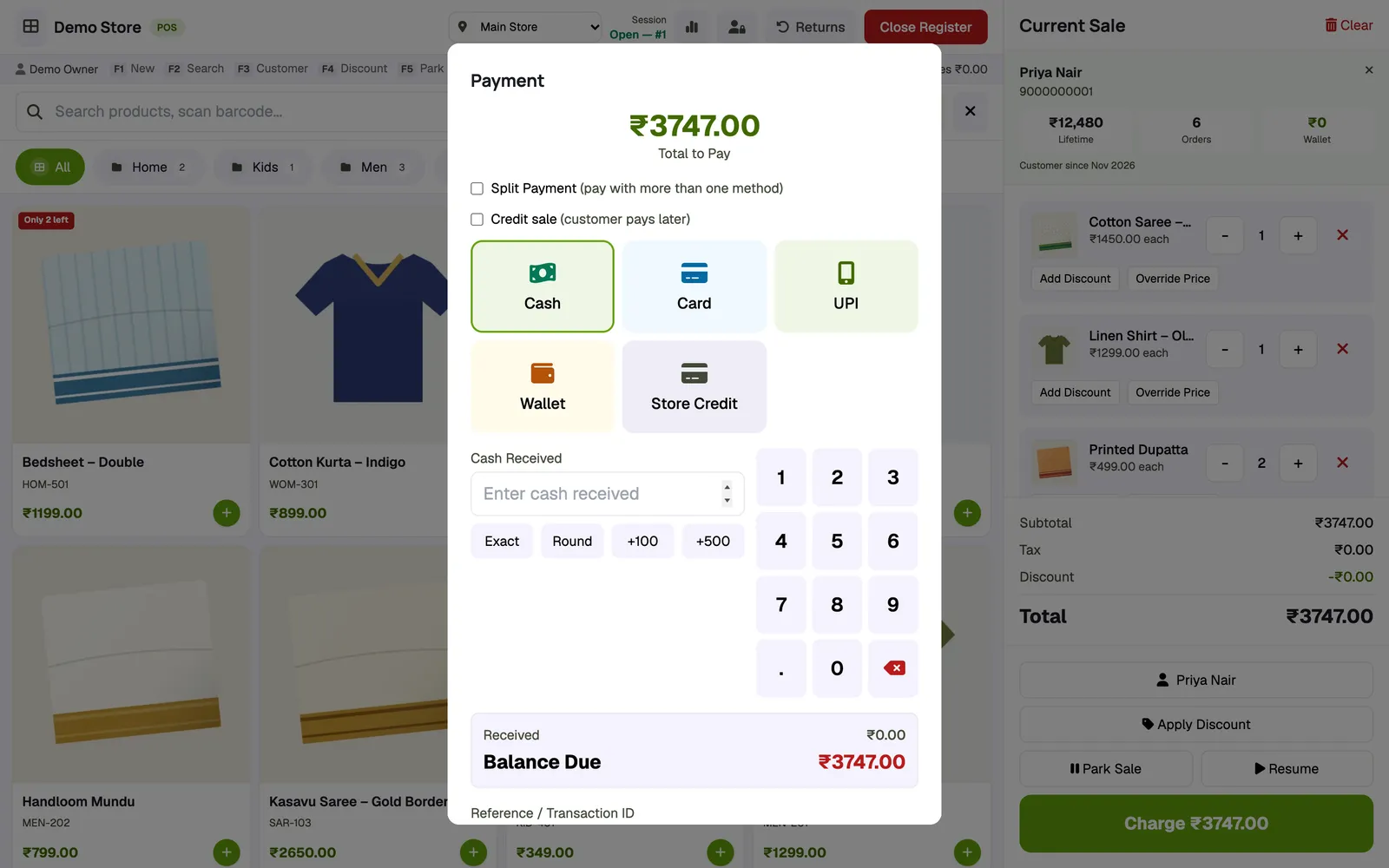
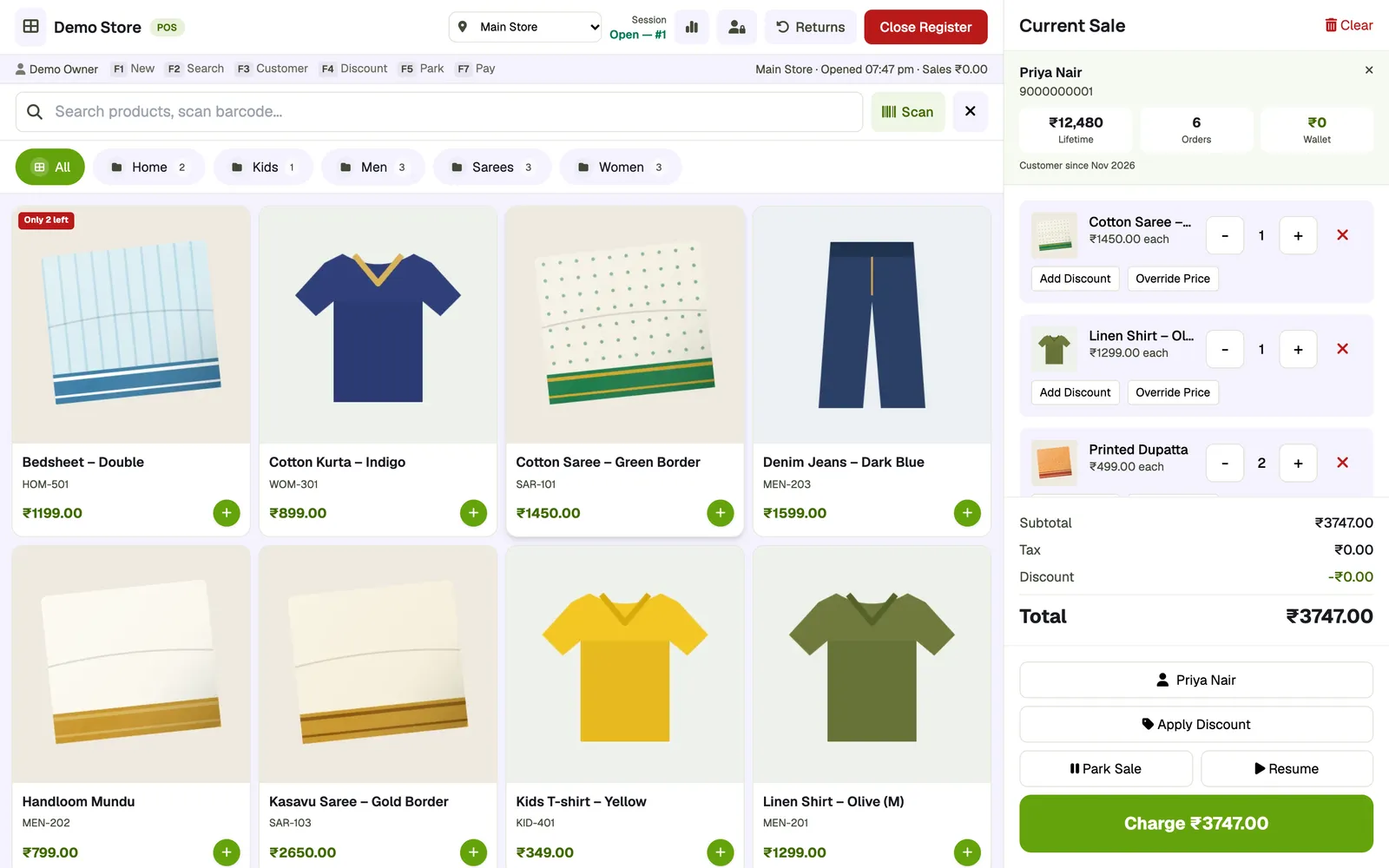
The Macto POS terminal with products on the left and a sale in progress on the right, showing subtotal, tax, discount and the Charge button.
The Macto POS billing screen (sample data).
  • GST-ready bills
  • UPI QR at checkout
  • Stock by location
  • Staff PINs
  • Nothing to install

What is Macto POS?

Macto POS is billing and point-of-sale software for Indian shops and restaurants that runs in your web browser. It makes GST bills, takes cash, UPI QR, card and split payments, and keeps stock, staff and dues in order. Shops use Retail POS; restaurants and cafés use Restaurant POS with tables, kitchen tickets (KOT) and kitchen screens.

Price
First 50 bills free
Runs on
Any browser — PC, tablet, phone
Payments
Cash, UPI QR, card, split, credit
Made in
Kerala, India

Built for your business

A POS for your shop. A POS for your restaurant.

Choose your business type when you sign up and you get the screens made for it.

Retail POS billing screen with products and a running sale.

Retail POS

Shops, boutiques, supermarkets and pharmacies

  • Barcode or tap-to-bill, with discounts and park/resume
  • Cash, card, UPI QR, wallet, store credit and split payments
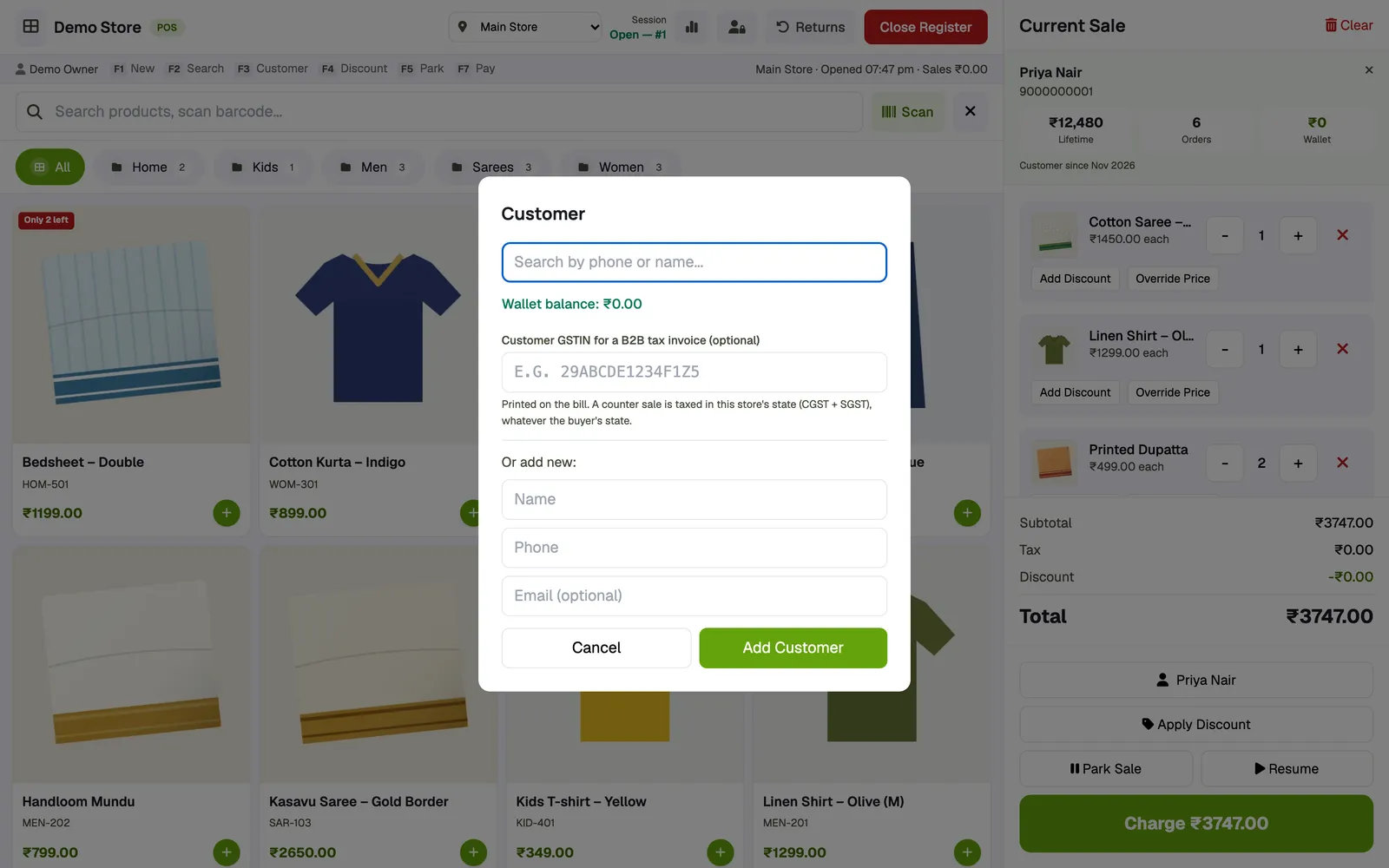
  • GST bills, customer GSTIN and credit sales with dues
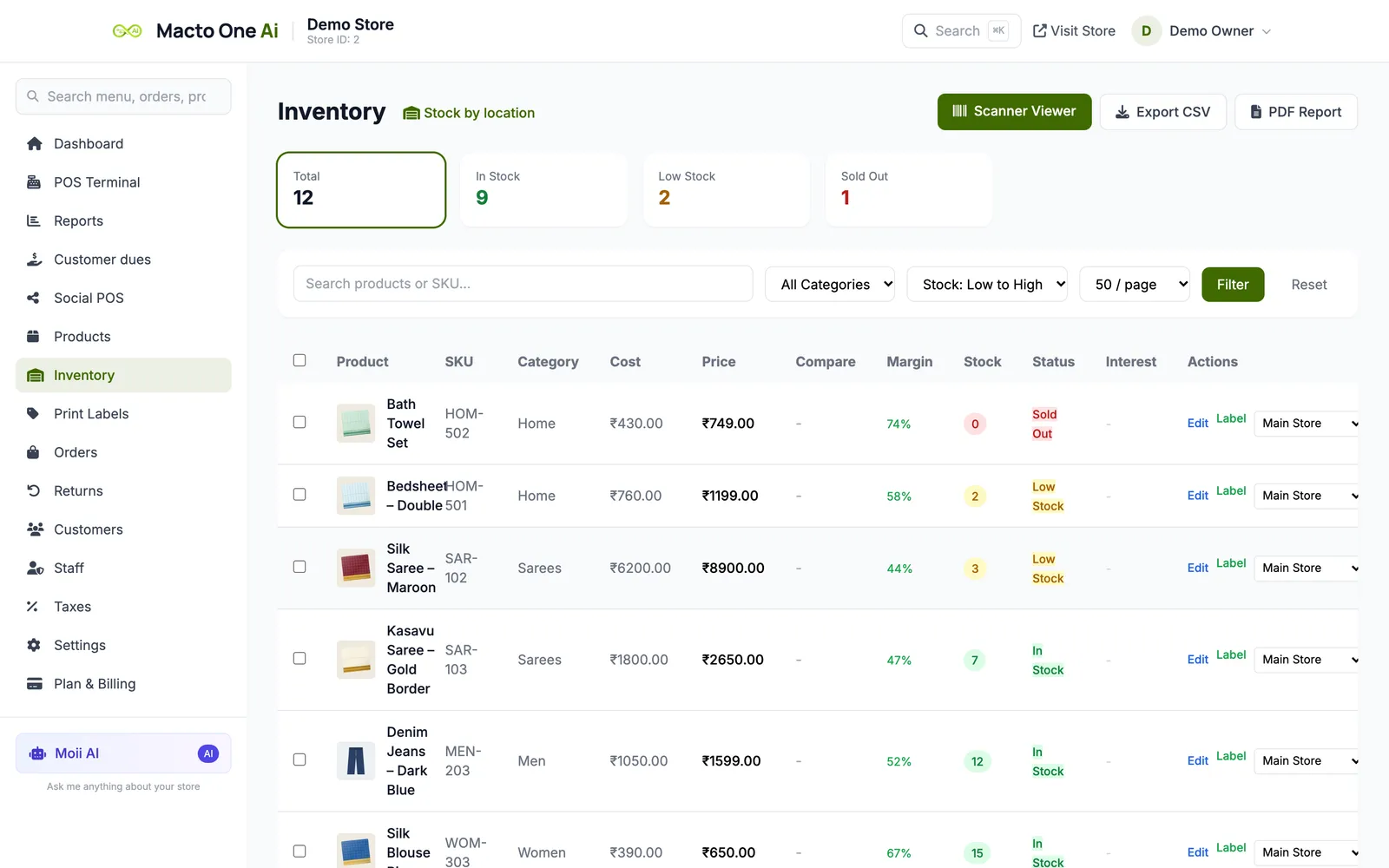
  • Stock by location, barcode labels and staff PINs
  • Online catalogue with your own QR code (add-on)
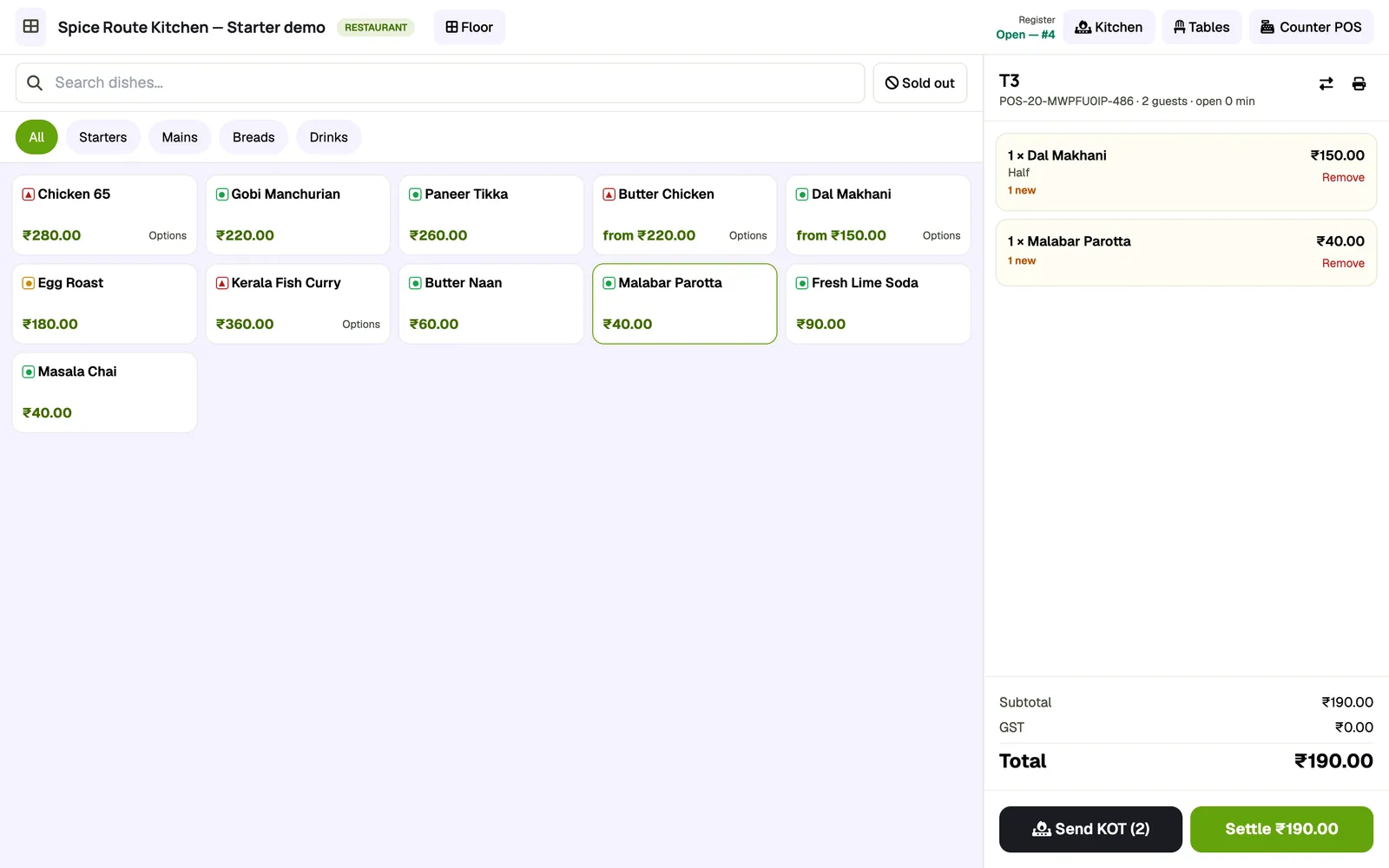
Restaurant POS with the menu and a table’s bill with Send KOT and Settle buttons.

Restaurant POS

Restaurants, cafés, bakeries and cloud kitchens

  • Tables with running bills and kitchen tickets (KOT)
  • Kitchen screen and customer display on any tablet
  • Half/Full portions, add-ons and veg / non-veg markers
  • One-tap Sold out for dishes
  • QR menu ordering from the table (add-on)

Everything at the counter

Run the day with fewer clicks and fewer surprises.

Bill in seconds, with or without a scanner

Search, scan a barcode or tap a product tile. Every line can take its own discount or price override, and totals update as you go.

  • Hardware barcode scanners work out of the box
  • Park a sale and resume it later
  • Keyboard shortcuts for new sale, search, customer, discount, park and pay
Learn more about billing
Terminal with a sale in progress, a line discount option and the Charge button.

Online catalogue & QR ordering

Your products on every customer’s phone.

Share one link or a printed QR code. Customers browse your products — or your menu — with your logo and colours, add to cart and place an order you accept from the dashboard.

  • A link and QR code for your store, plus a share link for every product
  • Shop layout for retail, menu layout for cafés and restaurants
  • Live stock from your POS — sold-out items show as sold out
  • Orders go straight to your Orders list with a “Catalog order” label
  • Download the QR as PNG or SVG, or print a ready-made poster
  • Installs on the phone like an app

Available on selected plans

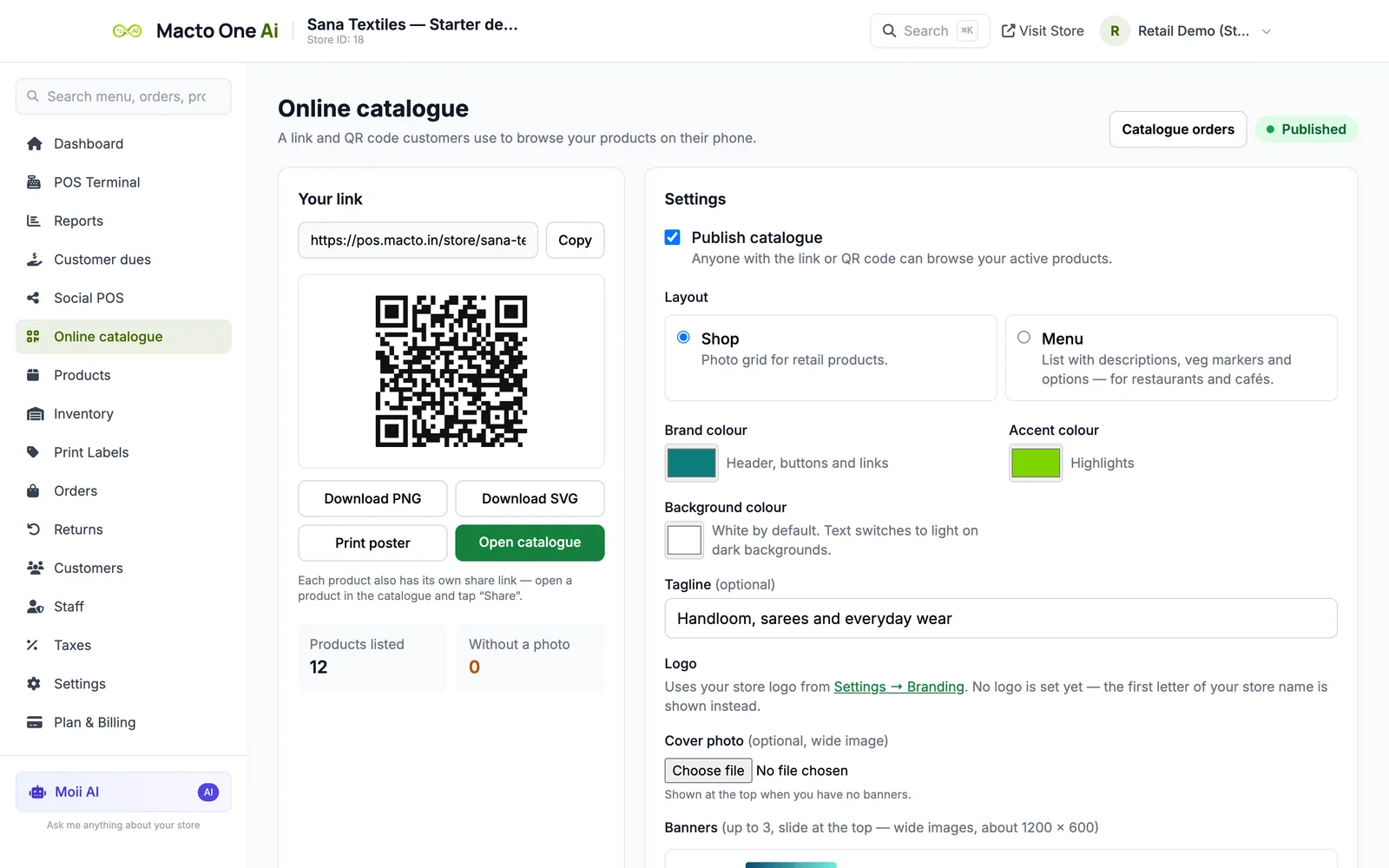
Online catalogue settings in the Macto POS dashboard: the store link, its QR code with PNG, SVG and poster downloads, and layout and brand colour settings.
QR code generator and catalogue settings (sample data).
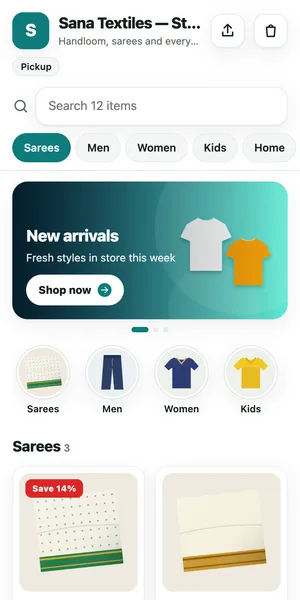
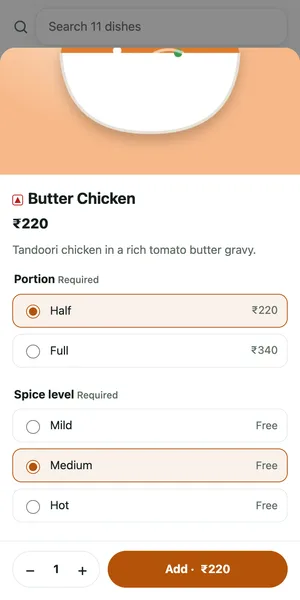
A store’s online catalogue on a phone. A product opened in the online catalogue.

Restaurant POS

Tables, kitchen tickets and quick settling — in one screen.

Seat guests, add dishes with Half/Full portions and add-ons, send a numbered KOT to the kitchen, and settle by cash, card or UPI — split any way the table wants.

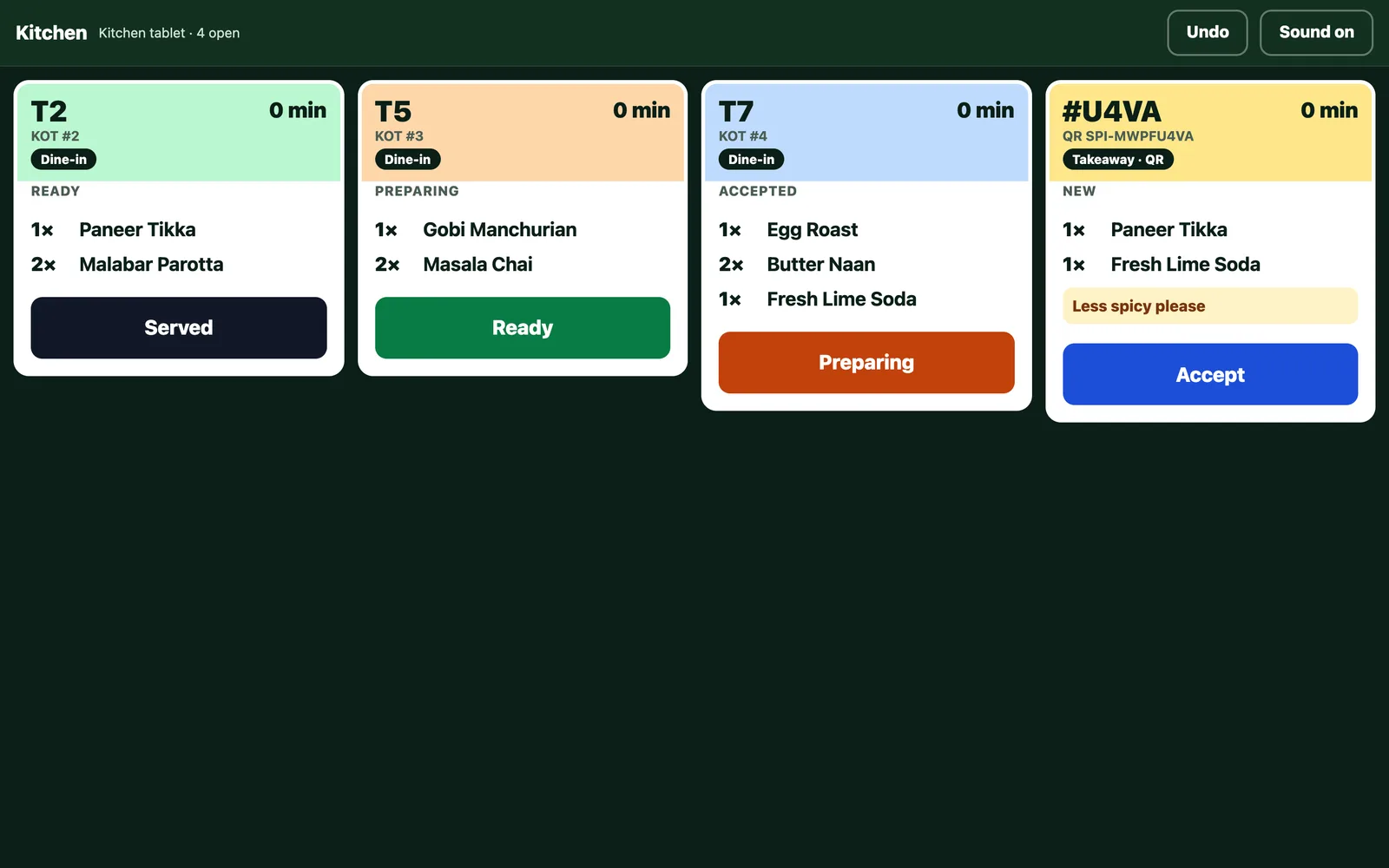
Kitchen screen on a tablet with order cards at New, Accepted, Preparing and Ready, with large status buttons.
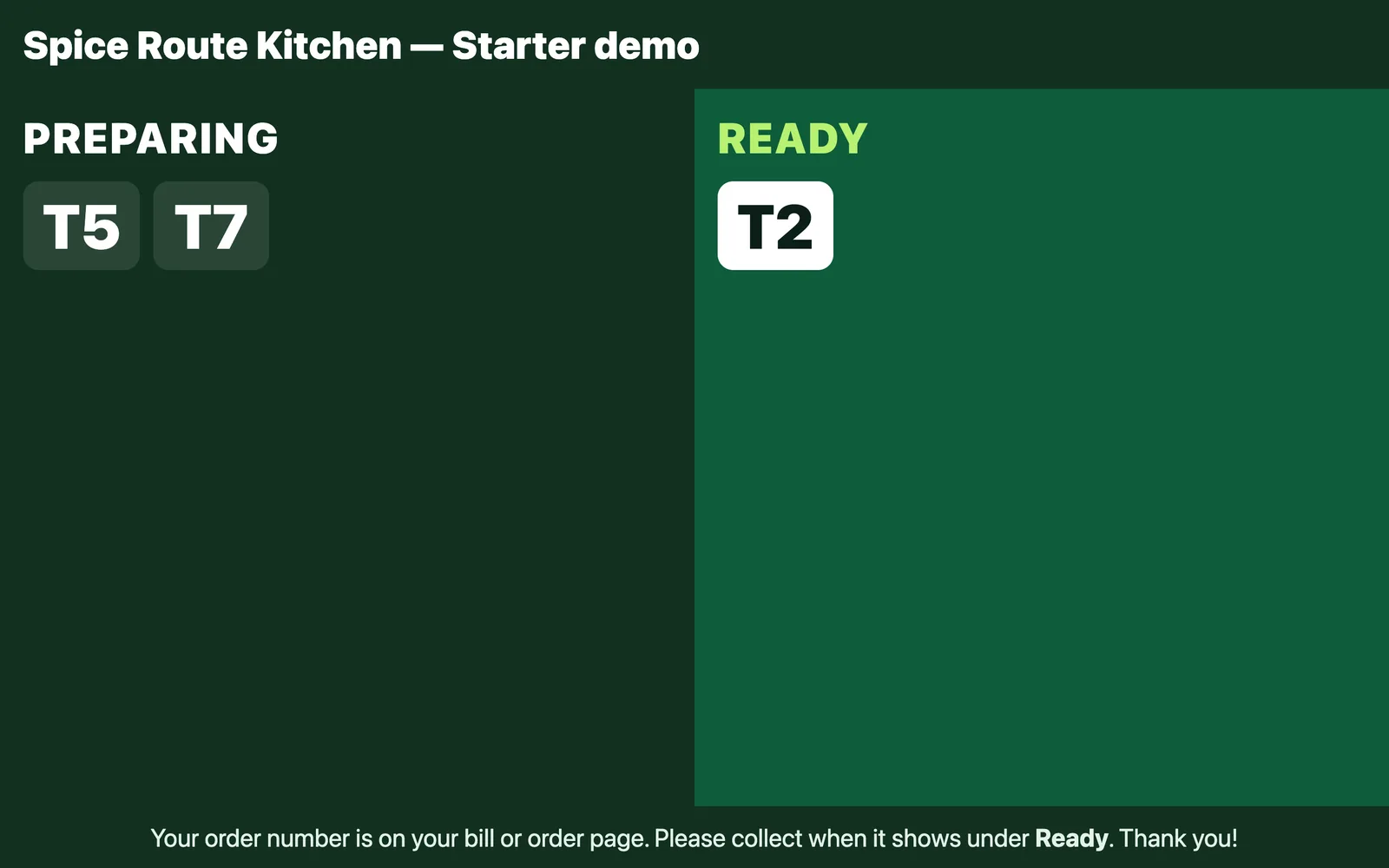
Customer display with Preparing and Ready columns showing table numbers.
  • Floor view: free and occupied tables, running total and time seated
  • Kitchen order tickets (KOT) — only new items, numbered, printable
  • Kitchen screen and customer display on any tablet, paired with a code
  • One-tap Sold out for dishes; track stock or not
  • QR menu ordering from the table and takeaway (add-on)

Under control

Built for the people behind the counter.

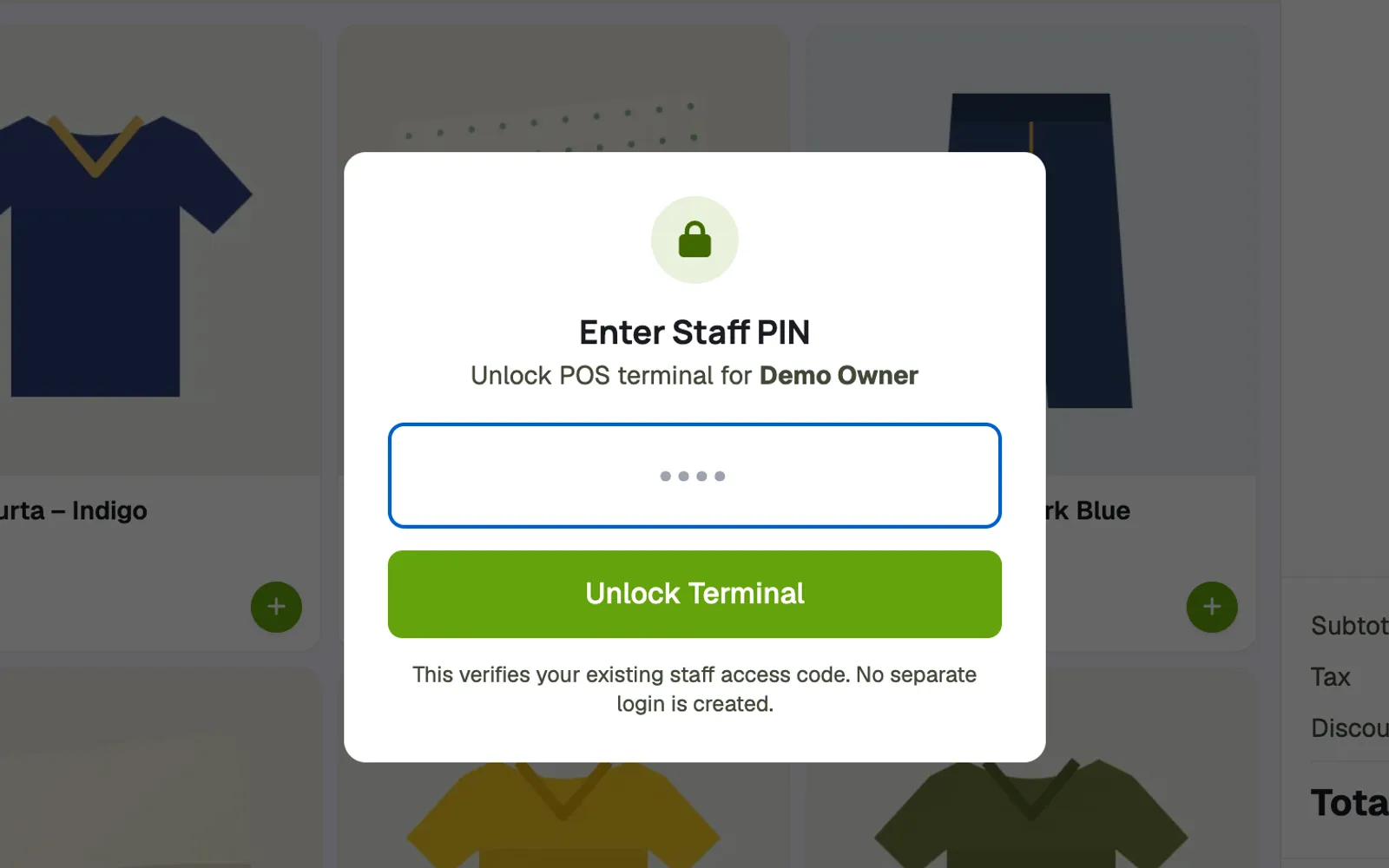
Enter Staff PIN window that unlocks the POS terminal for a staff member.

A PIN for every staff member

Staff unlock the terminal with their own PIN, so each sale is recorded against the person who made it.

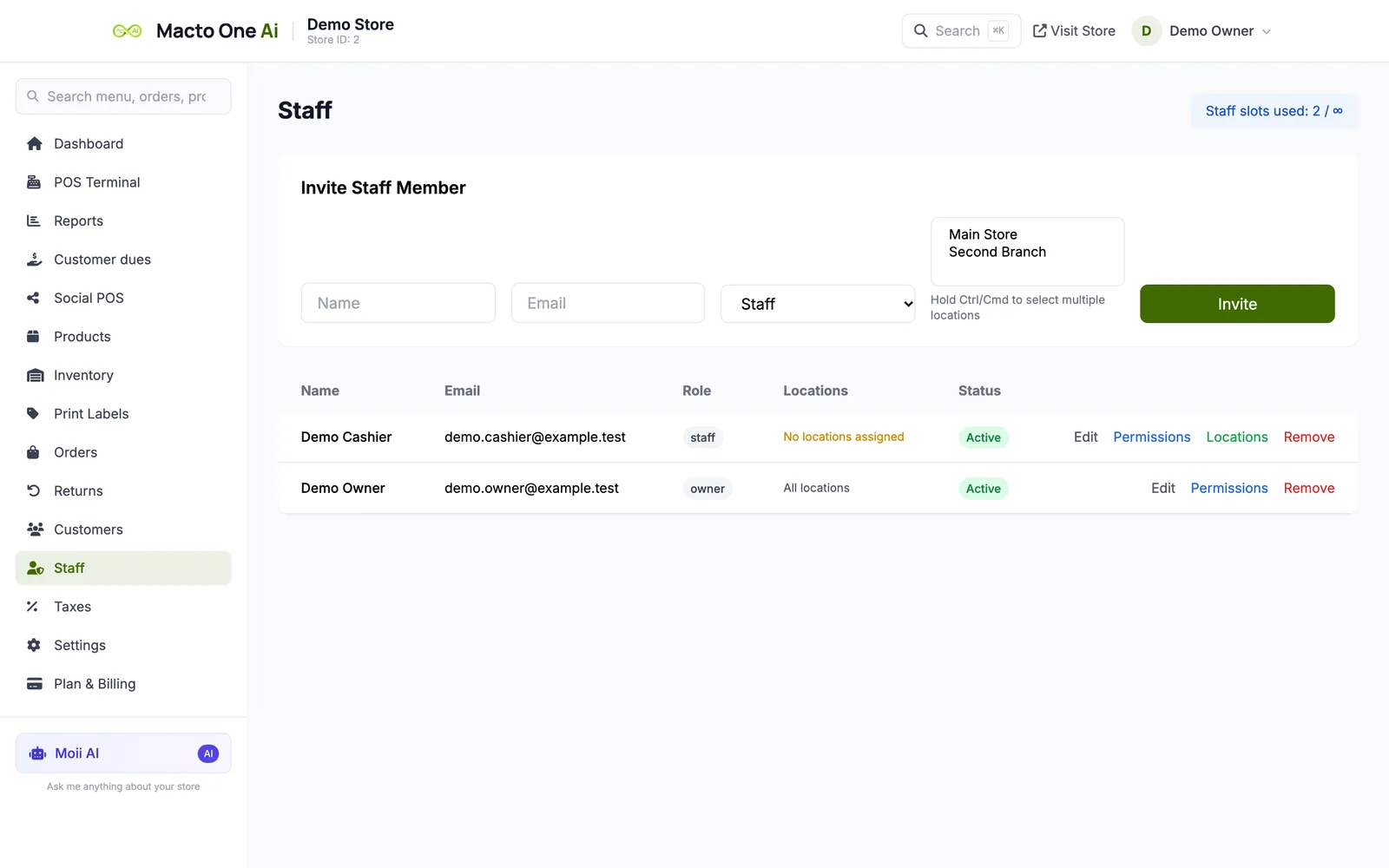
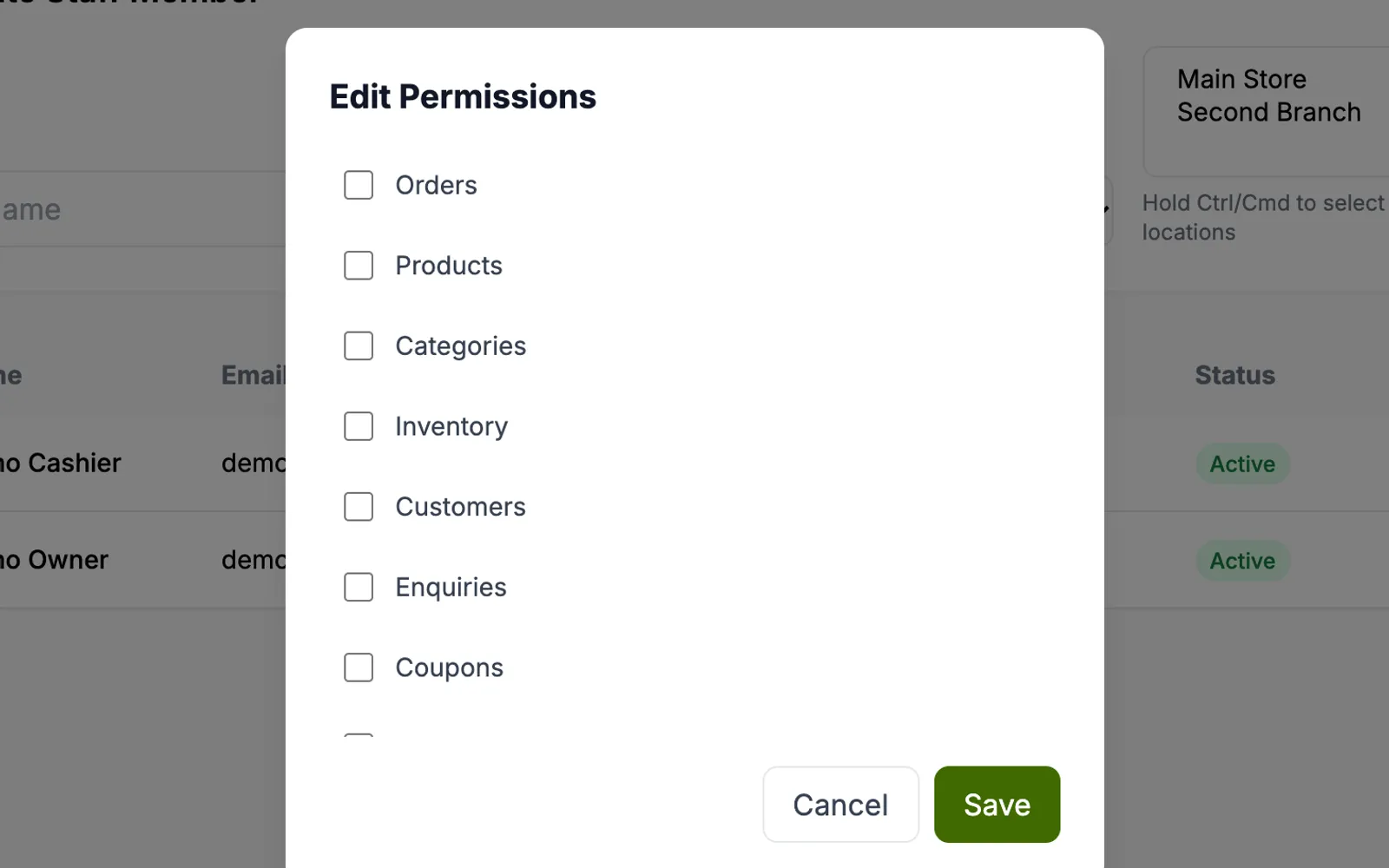
Edit permissions window with checkboxes for orders, products, categories, inventory and customers.

The right access for each role

Choose exactly which parts of the store each person can see and change.

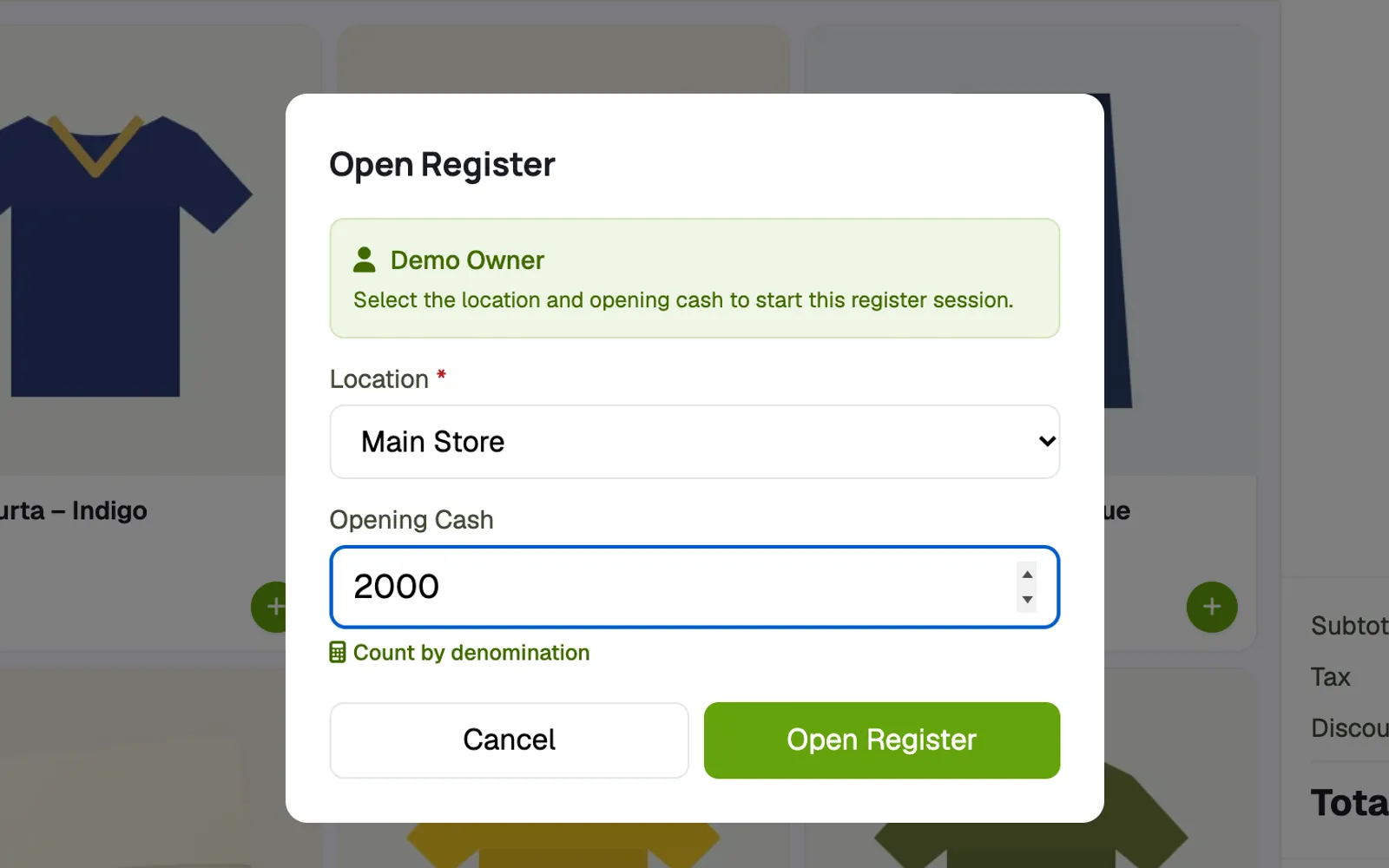
Open register window to start a session with opening cash.

Open and close the register

Start each session with opening cash and close it with a count, per location.

Getting started

The Macto POS way of working.

Runs in your browser

Open Macto POS on the computer or tablet you already have. Your sales, stock and reports are stored online, so you can check them from anywhere you log in.

Talk to the team that builds it

Questions about setting up your store? Write to pos@macto.in.

Free to start, ready in a minute

Create an account with your business name and email. Your first location is set up for you and you land straight on the billing screen.

Why Macto POS

Built for Indian shops and restaurants — and fair about it.

  • Start free

    Your first bills are free, with no time limit and no card needed. Choose a plan when you need more.

  • Retail and restaurant in one

    Pick your business type at signup and get the right POS. Switch later without losing anything.

  • Your own online store

    A catalogue or menu at your own link and QR code, in your colours, taking real orders.

  • Payments your way

    Cash, card, UPI QR for the exact amount, split bills and credit with dues.

  • Your data stays yours

    Bills, products, customers and reports stay available even if a plan ends.

  • Nothing to install

    Works in the browser on a computer, tablet or phone. Kitchen screens pair with a code.

Pricing

Start free: your first 50 bills are on us

Then choose a plan: Lite ₹999 per year (about ₹83 a month), Starter ₹299/month billed yearly, Growth ₹599/month billed yearly (+ GST). Cancel anytime.

View pricing

Quick answers

What is Macto POS?

Macto POS is billing and point-of-sale software for Indian shops and restaurants that runs in a web browser. It makes GST bills, takes cash, UPI QR, card and split payments, and comes as Retail POS for shops and Restaurant POS for restaurants and cafés.

Is Macto POS free?

Yes, to start: your first 50 bills are free, with no time limit and no card needed. After that you choose a monthly or yearly plan; prices exclude GST and you can cancel anytime.

Which businesses is it for?

Retail POS suits kirana stores, supermarkets, pharmacies, boutiques, mobile and hardware shops. Restaurant POS suits restaurants, cafés, bakeries, cloud kitchens, juice bars, sweet shops and tea stalls.

Do I need to install software or buy special hardware?

No. It runs in Chrome, Edge or Safari on a computer, tablet or phone you already have. Receipt printers, barcode scanners and tablets for the kitchen screen are optional.

Does it work without internet?

No. Macto POS needs an internet connection to bill.

More in the Macto POS FAQ.

Ready to bill your next customer with Macto POS?

Create a free account in a minute, or try the demo first — no sign-up needed.